Sellvia Billing Explained: Charges, Renewals and Billing History
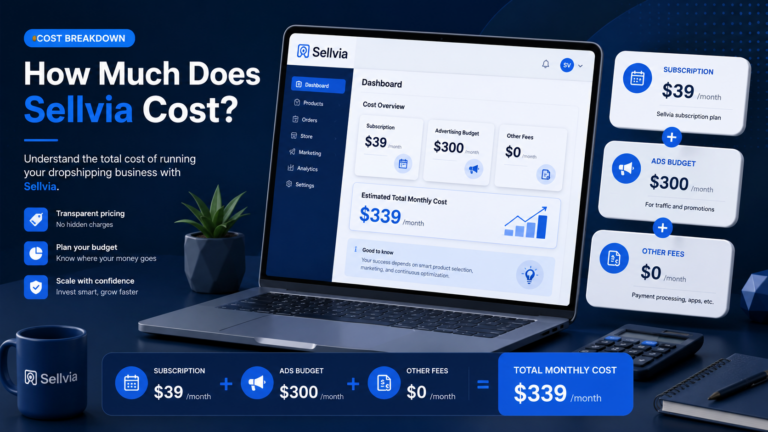
Quick Answer: Sellvia billing is easiest to manage when you separate the base subscription from usage-based or optional services. The current public offer shows a 14-day free trial for the base store subscription, followed by $39 per month, with automatic billing unless you cancel. Your account is also the place to review the active subscription, payment activity, and any separately purchased services. Before changing or canceling anything, identify which store and which service a charge belongs to.
What Sellvia billing covers
The base Sellvia subscription keeps access to the managed store environment and its core tools active. Sellvia’s current public signup pages advertise the base offer as free for 14 days and $39 per month afterward. The same current offer describes a digital-product store with built-in advertising tools and a $40 introductory ad credit.
That monthly subscription should not be confused with every other movement of money in a Sellvia account. A seller may also see order-processing costs, advertising spend or credits, Performance Tier charges, and payout-related fees. Those items have different purposes and timing, so a single number in a bank statement does not tell you what generated it.
The basic renewal cycle
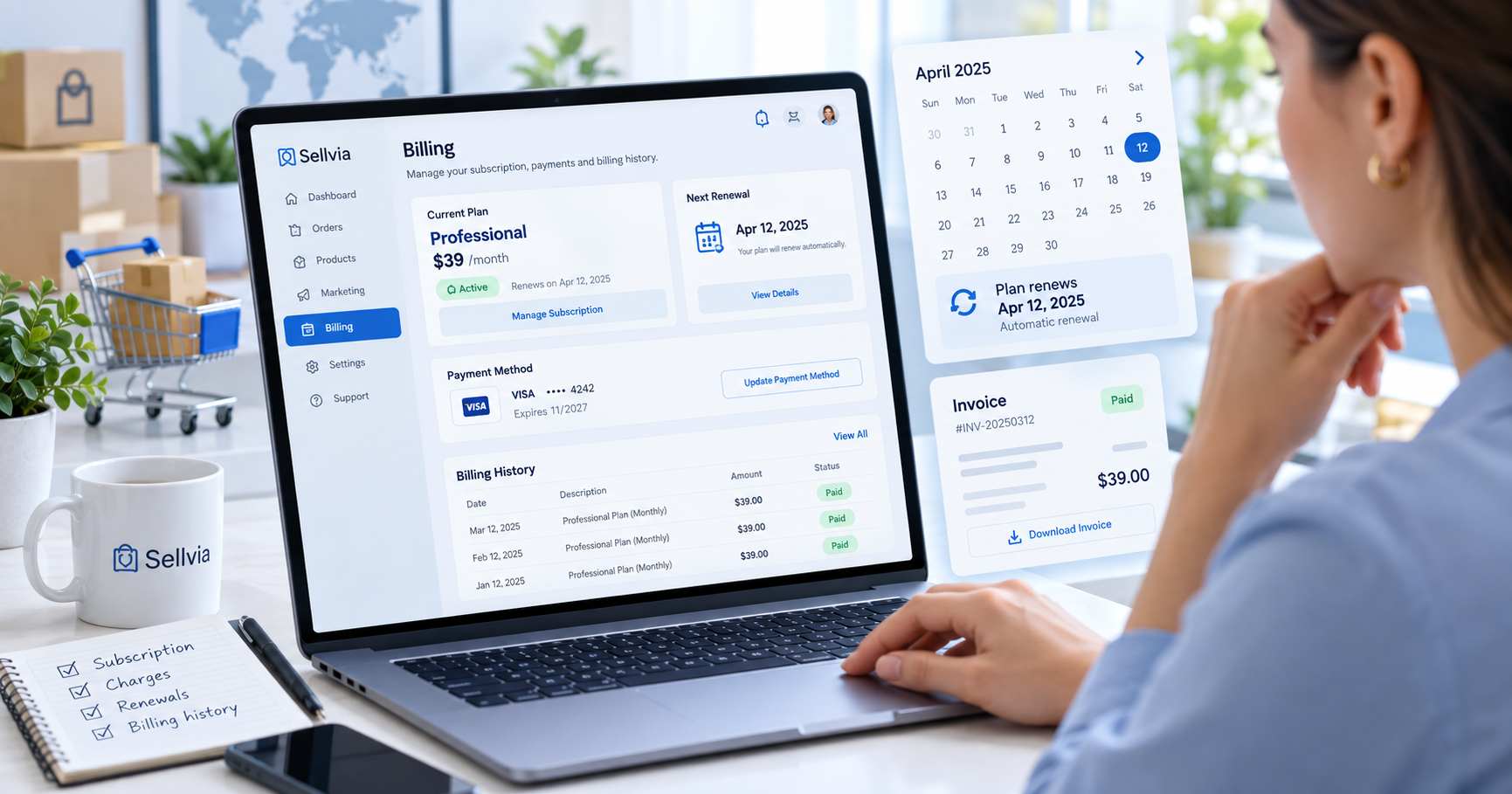
For the base subscription, the practical cycle is straightforward: activate the trial, use the store during the trial window, then move into recurring monthly billing if the subscription remains active. The current public offer states that the trial lasts 14 days and the regular base price is $39 per month.
Automatic renewal matters because a subscription is a continuing service, not a one-time purchase. If you intend to stop using the service, do not rely on simply leaving the dashboard unused. Check the subscription state and follow the cancellation controls or support procedure available to your account. Keep the confirmation for your records.
Base subscription vs. other account charges
| Item | Typical purpose | Billing pattern | What to verify |
|---|---|---|---|
| Base subscription | Access to the Sellvia store and platform | $39/month after the 14-day base trial | Active store, renewal state, next billing event |
| Performance Tier | Weekly order-capacity tier | Weekly while applicable | Tier name, order allowance, weekly price |
| Ads | Traffic acquisition | Budget/usage driven | Campaign state, daily budget, available ad credit |
| Order processing | Processing a customer order | Triggered by orders | Order ID, processing cost, order status |
| Payout | Moving Available commission to a bank | Triggered when you request a payout | Method, minimum, fee, expected timing |
Performance Tiers are separate from the monthly base plan
Sellvia’s current operating model uses weekly Performance Tiers for order capacity. The established current tiers are Plus at $19 per week for up to 100 orders, Advanced at $39 per week for up to 250 orders, Pro at $69 per week for up to 500 orders, and Elite at $99 per week with unlimited orders. Treat these as a separate billing layer from the $39 monthly base subscription.
This distinction is useful when reconciling charges. A $39 amount can be ambiguous without context because $39 also appears as the weekly price of the Advanced Performance Tier. Check the charge date, the active tier, and the subscription area rather than assuming every $39 charge is the monthly plan.
How balances relate to billing
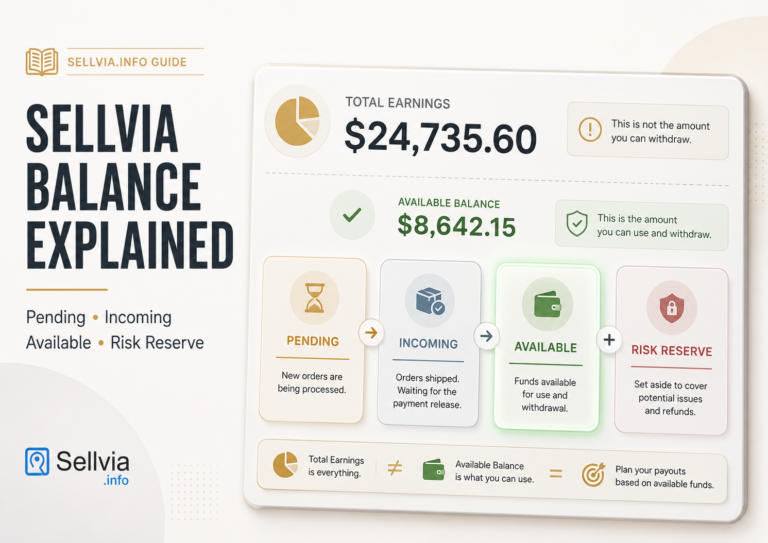
Your Sellvia account can display money at several stages. These stages should not be treated as interchangeable. After a customer order is processed, commission moves through the platform’s balance workflow: Pending, then Incoming for roughly 72 hours, then 75% becomes Available while 25% moves to Risk Reserve for roughly 125 days.
Pending indicates money that has not yet completed the early processing stage. Incoming is still in the waiting period. Available is the portion that can count toward payout eligibility. Risk Reserve is held separately for the reserve period. Seeing commission in the account therefore does not automatically mean the entire displayed amount can be withdrawn immediately.
Why the account balance can affect what you see
When reconciling your account, look at both billing activity and balance activity. Subscription charges, order costs, commissions, reserve movements, and withdrawals answer different questions. A useful habit is to reconcile each event by date and type instead of looking only at the current balance.
For example, a customer purchase can create an order-processing obligation and later produce commission. Those are related to the same order but they are not the same transaction. Likewise, a payout is not a sale; it is a transfer of already Available commission out of the platform.
Payouts are not subscription refunds
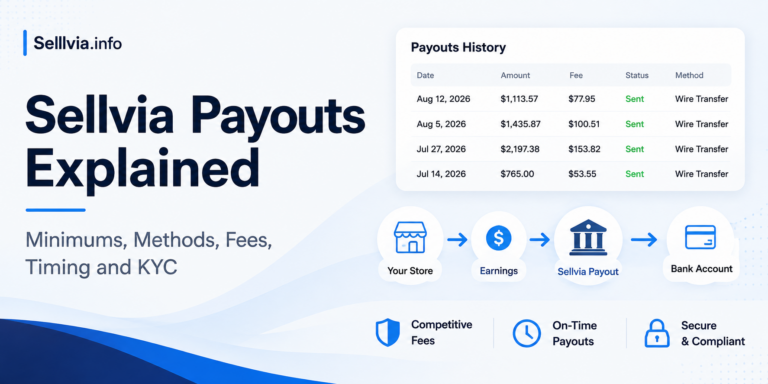
A payout moves eligible commission to your bank. It does not reverse a subscription charge. Under the established current payout mechanics, the minimum payout is $100 and identity verification costs approximately $4.99; phone verification may also apply. Express payout is approximately 14% with an estimated 1–3 day timeline, while a US bank payout is approximately 5% plus $10 with an estimated 5–7 day timeline.
If your goal is to recover a subscription payment, that is a billing or refund question rather than a payout request. Keeping these workflows separate prevents a common source of confusion.
Advertising billing and the $40 credit
Current Sellvia public signup pages advertise a $40 introductory advertising credit. A credit is not the same as cash in the Available commission balance and is not a payout. It is intended for eligible advertising activity inside the platform.
The established current ad-budget unlock sequence begins at $10 per day, then rises to $15 after 5 days, $20 after 10 days, $30 after 20 days, and $50 after 30 days. A modeled first-30-day budget using that unlock progression is about $625. That figure is a planning example, not a guaranteed spend or result.
When auditing advertising charges, compare the campaign state, daily budget, credit balance, and dates. Do not assume that pausing store work automatically pauses an active advertising service.
How to audit your Sellvia billing step by step
1. Identify the store
Start with the exact store/account you are reviewing. If more than one store or service has existed under the same email, write down which one you expect to be active. This avoids matching a legitimate charge to the wrong store.
2. Check the active base subscription
Confirm whether the base subscription is active, in trial, canceled, or otherwise changed. Note the date shown for the relevant billing event. If you are still inside the trial, compare the trial start date with the 14-day window.
3. Check Performance Tier activity
Record the current tier and weekly price. A weekly tier can create a different cadence from the monthly base subscription, so monthly bank-statement scanning can hide the pattern.
4. Review advertising activity
Check whether campaigns are active, paused, or ended. Record the daily budget and any promotional credit. Advertising activity should be reconciled separately from subscription renewal.
5. Match order-related movements
Use order IDs and dates to connect processing costs with customer orders. Then check how resulting commission moved through Pending, Incoming, Available, and Risk Reserve.
6. Review payout requests
If money left the Available balance, match it to a payout request and payout method. Verify the fee and expected delivery window for that method.
7. Save evidence before changing anything
Keep screenshots or exports of the relevant billing screen, transaction date, amount, active plan/tier, and any cancellation or support confirmation. A clean record is especially useful if you later need support to identify an unfamiliar charge.
Billing history: what to record
A simple billing log makes future troubleshooting much easier. For every charge or balance movement, record the date, amount, currency, transaction type, store, related order or campaign if applicable, and the status shown in Sellvia. Add a short note explaining what you believe the transaction represents.
| Field | Example of what to record |
|---|---|
| Date | The date shown in the dashboard and bank statement |
| Amount | Exact amount and currency |
| Type | Subscription, tier, ads, order processing, payout |
| Store | The specific store/account involved |
| Reference | Order, campaign, payout or invoice reference |
| Status | Active, paid, pending, incoming, available, canceled |
What to check before the trial ends
If you are evaluating Sellvia during the 14-day base-plan trial, do a deliberate review before the renewal point. Confirm whether you want the store to remain active, whether any optional services are enabled, and whether you understand which charges are recurring versus usage-driven.
- Confirm the trial start date.
- Confirm the base subscription price shown for your account.
- Review active Performance Tier status.
- Review advertising campaigns and budget.
- Save any important account data or confirmations.
- If canceling, complete the actual cancellation workflow and retain confirmation.
What to check after a renewal
After a renewal, verify that the amount and cadence match the service you intended to keep. If the charge is unfamiliar, do not immediately assume it is a duplicate. First compare it against the base subscription, Performance Tier, ads, and any other active service. Similar prices can belong to different billing layers.
If the transaction still cannot be identified, contact Sellvia support with the exact date, amount, account email, store identifier, and a screenshot of the transaction. Avoid sending full card numbers or other unnecessary sensitive payment data.
Common billing mistakes
Assuming one cancellation stops every service
Different services can have different states. Verify the base subscription and any optional or usage-based services separately.
Confusing Available commission with total commission
Only part of commission becomes Available after the Incoming stage; the reserve portion follows a separate timeline.
Confusing ad credit with withdrawable money
The introductory advertising credit is for eligible ad activity, not a cash payout balance.
Reading a weekly tier as a monthly plan
Performance Tiers are weekly. The base subscription is monthly. Always compare both the amount and the cadence.
Waiting until after a charge to inspect the account
A short billing review before renewal is easier than reconstructing several weeks of transactions afterward.
How this connects to other Sellvia account areas
Billing is only one part of the account workflow. For a broader map of plans, balances, and payouts, see Sellvia My Account Explained. For the commission withdrawal workflow, see Sellvia Payouts Explained. For order mechanics, see How to Process a Sellvia Order. If you need the weekly capacity layer, see Sellvia Performance Tiers Explained.
FAQ
How much is the current base Sellvia subscription?
The current public Sellvia signup offer shows a 14-day free trial followed by $39 per month for the base subscription.
Does the free trial apply to every Sellvia service?
No. Treat the 14-day trial as the base-plan trial. Optional or usage-based services can have their own billing rules.
Is a Performance Tier the same as the monthly subscription?
No. Performance Tiers are a separate weekly order-capacity layer. The established current prices are $19/week Plus, $39/week Advanced, $69/week Pro, and $99/week Elite.
Why is some commission not withdrawable?
Commission moves through balance stages. After the Incoming period, 75% becomes Available while 25% is placed in Risk Reserve for roughly 125 days under the established current mechanics.
Is the $40 advertising credit cash?
No. It is promotional credit for eligible advertising activity and should not be treated as withdrawable commission.
What should I do if I do not recognize a charge?
Match the amount and date against the base subscription, weekly tier, advertising activity, order processing, and payout records. If it still cannot be identified, contact support with the transaction details and store/account information.
Takeaway
Sellvia billing becomes much clearer when you separate recurring access, weekly capacity, advertising, order processing, balance stages, and payouts. Start with the $39 monthly base subscription and its 14-day trial, then audit every other transaction by its own purpose and cadence. Keep a simple billing log, verify active services before renewal, and save cancellation or support confirmations. That gives you a reliable account history and makes unfamiliar charges much easier to diagnose.

Jeck Palmer is an ecommerce writer and platform researcher at Sellvia.info. He specializes in analyzing Sellvia’s features, pricing, tools, advertising system, order workflow, and overall business model. His articles are designed to explain complex platform processes in clear and practical language, helping beginners understand potential costs, evaluate available tools, and make more informed decisions before starting an online business.