
How Much Does Sellvia Cost? A Realistic Budget Guide for Beginners
When people search “how much does Sellvia cost,” they usually are not just looking for a monthly fee number. They want to know what they should actually have in their bank account before they start. The subscription price is part of the answer – but only part of it. The real budget question is: what will I need to spend in the first 30, 60, or 90 days to genuinely test whether this works for me?
Sellvia is a SaaS online business platform. It gives users a ready-built store, a catalog of digital products to sell, a built-in advertising system, an order management dashboard, and a set of optional marketing tools – all under one monthly subscription. Understanding the Sellvia cost means understanding how all of these pieces interact, not just reading one line on a pricing page.
This article is a practical budgeting guide. It walks through minimum starting budgets, realistic 30-day scenarios, 90-day planning, ad spend math, order processing costs, and payout timing. If you are looking for a fee-by-fee breakdown of the platform’s full pricing structure, the Sellvia Pricing Explained article covers that in detail. This guide is for the next question: how much money should I actually prepare?
Quick Answer: How Much Does Sellvia Cost?
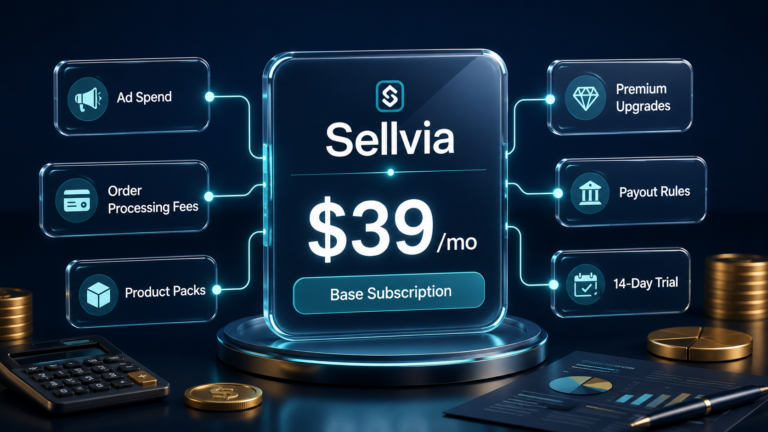
At the time of writing, the Sellvia base subscription is listed at $39/month. But the Sellvia cost for an active beginner is typically much higher once you factor in advertising, order processing fees, and any optional tools. A user who only pays the subscription and runs no ads will spend the least – but will likely see very little traffic and very limited results. A beginner running ads at even a modest $10/day will spend roughly $300 in ad budget on top of the monthly fee. The realistic first-month Sellvia budget for someone actively testing the platform starts in the $300-$400 range and can climb significantly from there. Users should verify the current subscription price and any applicable fees directly on the platform before starting.
The Difference Between Sellvia Price and Sellvia Budget
Before looking at numbers, it helps to separate two concepts that beginners often confuse: the platform price and the operating budget.
The price is what Sellvia charges to access the platform. The budget is the total amount of money a user may need to operate, test, advertise, manage orders, and sustain the business for a meaningful period. These numbers are rarely the same.
| Term | What It Means | Why It Matters |
|---|---|---|
| Monthly subscription | Fixed fee for platform access ($39/month at time of writing) | The baseline – but not the full picture |
| Ad spend | Daily budget for the built-in Sellvia Ads system ($10-$50/day) | The biggest variable in monthly cost for active users |
| Order processing fees | Per-order fee charged when a sale is fulfilled | Reduces net profit; higher volume = higher fee impact |
| Optional tools and upgrades | Product packs, SEO tools, premium store features | Can add meaningful cost if purchased early |
| Payout timing | Earnings in the dashboard are not always immediately withdrawable | Creates a cash flow gap beginners often don’t expect |
| Testing budget | Total amount a user is willing to spend before evaluating results | Should be set before starting, not discovered after |
The Minimum Cost to Try Sellvia
The lowest-cost entry point is the free trial. At the time of writing, Sellvia offers a 14-day free trial with full platform access and a pre-loaded store. A $40 advertising coupon is included to test the built-in ad system during that period. During the trial, the platform itself costs nothing – but if orders come in, processing fees may still apply.
After the trial, the minimum cost is the monthly subscription at $39/month (current listing, verify before paying). A user who pays only the subscription and does not run ads can technically keep the store open at $39/month. This is the absolute minimum Sellvia cost scenario.
What does that actually get you? Without ad spend, traffic to the store is limited. Organic visitors take time to build. Results in this scenario will be slow – possibly no orders at all in the first month. This approach is useful for someone who wants to explore the dashboard, understand how the platform works, and learn before spending more. But it should not be mistaken for a realistic growth strategy.
Minimum cost is not the same as realistic cost. The minimum scenario shows the floor – the lowest possible spend. It does not show what it takes to generate real traffic, orders, or meaningful data about whether the platform works for you.
What a Realistic First-Month Sellvia Budget May Look Like
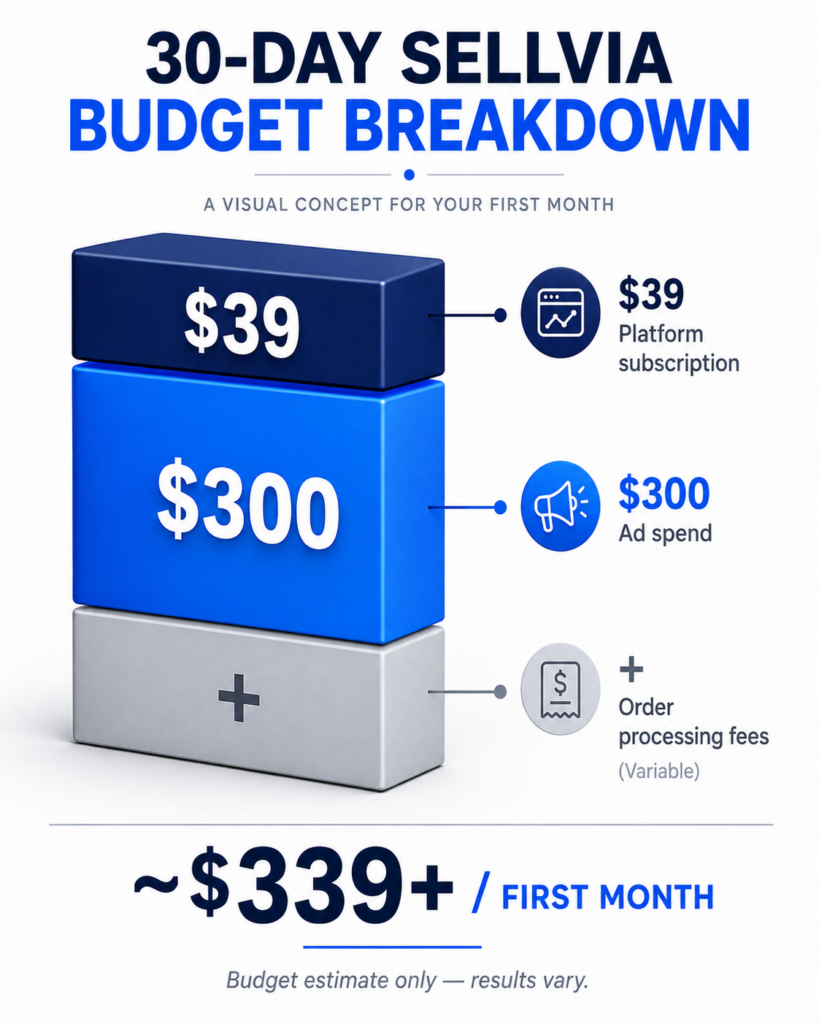
For a beginner who wants to actually test the platform with real traffic and real orders, here is what a typical first-month Sellvia budget looks like at a low daily ad spend.
| Cost Item | Example Amount | Notes |
|---|---|---|
| Platform subscription | $39 | Fixed monthly fee (verify current price) |
| Ad spend at $10/day x 30 days | $300 | Minimum active testing budget for ads |
| Order processing fees | Variable | Depends on number of orders – may be $0 to several dollars per order |
| Optional tools or upgrades | $0 (Month 1 recommendation) | Best to skip in Month 1 until results are clear |
| Estimated total (before variable fees) | ~$339+ | Processing fees add to this depending on order volume |
At $10/day in ad spend, a beginner is spending around $339 in the first month before any processing fees. If the trial covers the first 14 days, the out-of-pocket cost shifts accordingly – but the ad spend math stays the same.
Importantly: the $40 ad coupon included in the trial covers the first four days of ad spend at the $10/day rate. This reduces early out-of-pocket costs, but only during the trial window.
These are budget numbers, not revenue projections. How much a user earns depends on their niche, traffic quality, and how actively they manage their store. Results vary.
14-Day Trial Cost Scenario
The free trial changes the first two weeks significantly. During those 14 days, platform access is free. The $40 ad coupon that comes with the trial covers the equivalent of four days of ad spend at the $10/day minimum rate.
What a beginner should understand about the trial period:
- The platform is free, but order processing fees still apply if sales come in.
- The $40 ad coupon reduces early spend – but it runs out quickly at any meaningful daily budget.
- The trial is best used to learn the dashboard, understand how ads work, see what the order flow looks like, and review what fees apply.
- Judging the platform’s value only from the trial experience can be misleading, because the trial period is shorter than what it realistically takes to see consistent results.
- At trial end, the $39/month subscription begins if the user continues.
Think of the trial as an orientation period. It reduces the financial barrier to entry and gives real exposure to the platform – but the full budget picture only becomes clear in Month 1 and beyond.
30-Day Budget Scenarios for Different Beginners
Not every beginner will approach Sellvia the same way. Here are three realistic scenarios based on different approaches to ad spend and tool usage.
| Scenario | Main Costs | Est. Monthly Range | Best For | Risk Level |
|---|---|---|---|---|
| Scenario 1: Research-only | Subscription only, no ads or minimal trial ad use | $39/month | Exploring the platform before committing to ad spend | Low cost, low data |
| Scenario 2: Controlled tester | Subscription + $10/day ads + processing fees on orders | $339 – $400+ | Beginners who want real traffic data without overspending | Moderate – most realistic starting point |
| Scenario 3: Active tester | Subscription + $20-30/day ads + optional tools | $639 – $950+ | Users who want faster data and are comfortable with higher upfront spend | Higher spend, faster feedback |
Scenario 2 – the controlled tester – is the most practical starting point for most beginners. It provides enough traffic to generate real data, without the financial pressure of a much larger ad budget.
These ranges are illustrative budgets based on platform pricing at the time of writing. They are not revenue projections. Earnings depend on many factors and results vary.
90-Day Sellvia Cost Planning
Many beginners make the mistake of judging any online business platform in its first two weeks. Thirty days gives more clarity. But 90 days is where the real picture emerges – it covers enough time to test ads, review order patterns, understand how payout timing works, and make a genuinely informed decision.
| Month | Focus | Budget Priority | Goal |
|---|---|---|---|
| Month 1 | Learn and test small | Subscription + low daily ad budget ($10/day). No optional tools yet. | Understand dashboard, ad system, order flow, and fee structure |
| Month 2 | Refine and measure | Same or slightly higher ad budget. Track cost per order and net commission per sale. | Identify whether traffic is converting and what each order actually costs |
| Month 3 | Evaluate and decide | Continue or adjust based on real data. Add tools only if Month 1-2 results justify it. | Decide whether to scale, maintain, or stop |
At $10/day in ads, a 90-day Sellvia budget might look like this:
| Cost Item | Month 1 | Month 2 | Month 3 | 90-Day Total |
|---|---|---|---|---|
| Subscription | $39 | $39 | $39 | $117 |
| Ad spend ($10/day) | $300 | $300 | $300 | $900 |
| Processing fees | Variable | Variable | Variable | Variable |
| Optional tools | $0 | $0 | Optional | $0+ |
| Subtotal (before fees) | $339 | $339 | $339+ | ~$1,017+ |
A realistic 90-day testing budget at the minimum ad level is approximately $1,000 to $1,200 before variable processing fees. This is the number a beginner should have available before starting, not the subscription price alone.
Why Ads Usually Change the Real Cost the Most
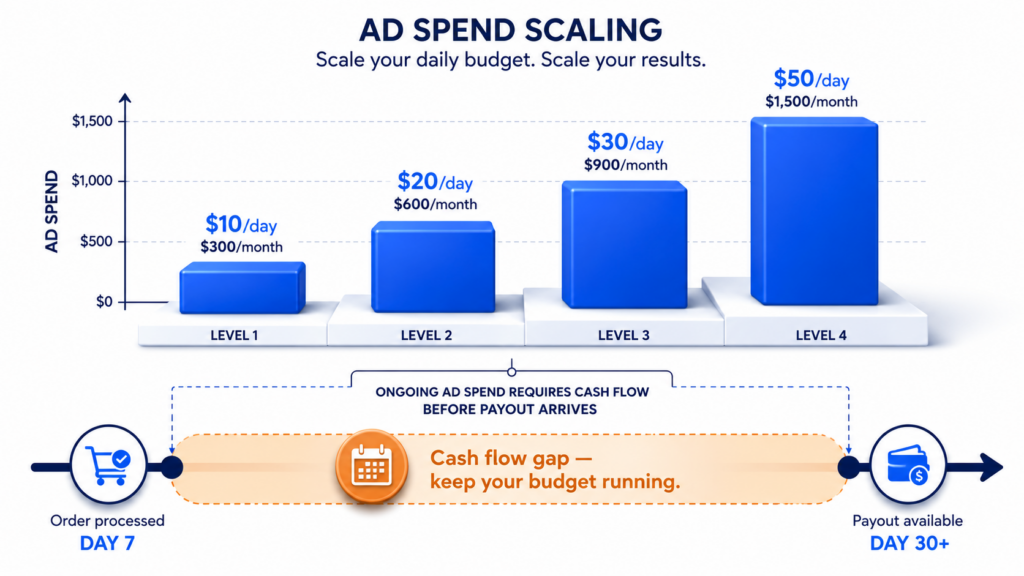
The subscription is fixed. Ad spend is not. And because Sellvia’s built-in advertising system runs on a daily budget that the user controls, the daily rate chosen at the start can dramatically change the total monthly cost.
Here is the straightforward math:
| Daily Ad Budget | Monthly Ad Spend (30 days) | Plus Subscription | Platform Total (before fees) |
|---|---|---|---|
| $10/day | $300 | $39 | ~$339 |
| $15/day | $450 | $39 | ~$489 |
| $20/day | $600 | $39 | ~$639 |
| $30/day | $900 | $39 | ~$939 |
| $50/day | $1,500 | $39 | ~$1,539 |
These examples show budget math only. They are not projections of revenue, profit, or return on investment. Ad performance varies based on products, niche, and market conditions.
Traffic from the ad system is not automatic in the sense that higher spend guarantees better results – but without any ad spend, traffic to a new store is very limited. Ad spend should be treated as a testing investment, not a guaranteed cost with a guaranteed return.
The practical implication: if someone plans a Sellvia budget around only the $39/month subscription, they will likely be caught off guard by how quickly ad spend adds up. Knowing this before starting is the most important thing this article can give a beginner.
How Order Processing Fees Affect the Real Cost
Every time a sale is made in a Sellvia store and the order is processed, a fee is charged. This fee is paid by the store owner as part of delivering the product to the buyer.
For beginners, the key things to understand:
- The profit shown in the dashboard is the net figure after the platform’s share – what you see is what you keep per processed order. This makes it easier to track, because you do not need to manually subtract a fee from each sale.
- Higher order volume means higher total processing costs across the month.
- Unprocessed orders do not generate revenue and are eventually cancelled – so processing promptly matters both for earnings and cost tracking.
- The per-order cost structure means that early in testing, when order volume is low, processing fees have limited impact. As volume grows, this line item becomes more meaningful.
For a complete breakdown of how Sellvia’s fee structure works at the order level, including current rates, the Sellvia Pricing Explained article covers this in detail. The point here is simply: order processing is part of the real Sellvia cost and should be included in any budget plan.
How Payout Timing Affects Your Budget
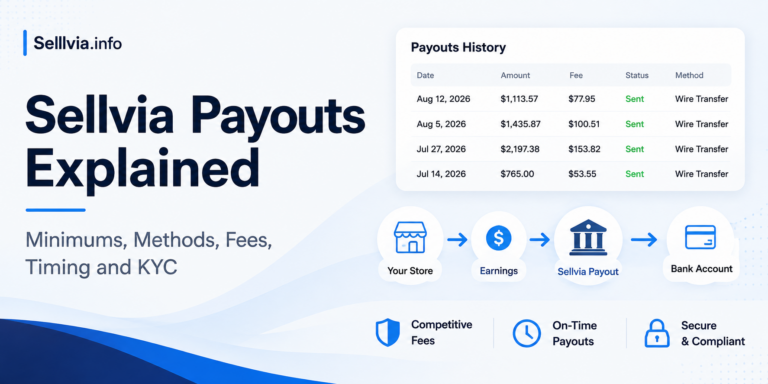
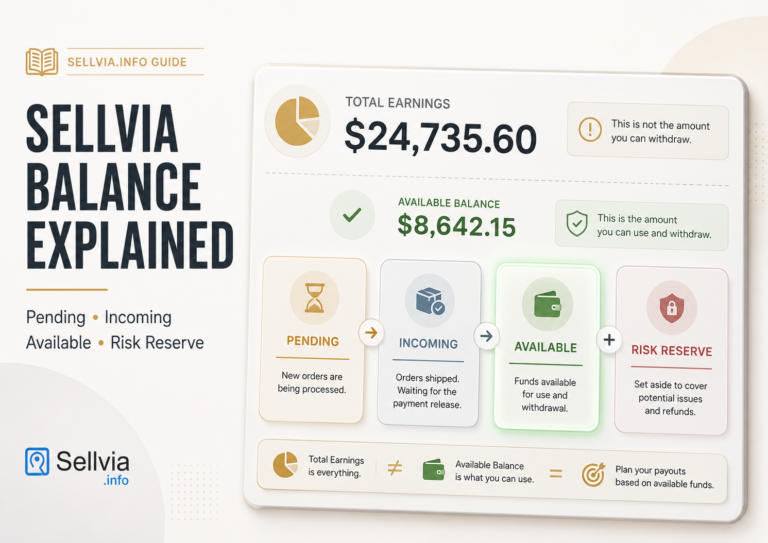
This is the part of Sellvia cost planning that surprises beginners most often. Seeing earnings in the dashboard does not mean that money is immediately available to withdraw.
Earnings typically move through a few stages before they become withdrawable: a pending period after the order is processed, followed by an available balance once the holding period clears. There may also be a minimum withdrawal threshold that must be reached before a payout can be requested.
What this means in practical terms:
- A beginner who starts running ads on day one and gets their first orders in week one may not be able to withdraw any of that money until week three or four – or later, depending on platform terms at the time.
- During that gap, the user is still spending on ads and subscription fees with no cash coming back in yet.
- This cash flow gap is normal for the platform model, but it means a beginner needs enough upfront budget to sustain operations through the waiting period – not just enough to cover the first week.
The practical rule: budget as if your first payout will arrive 30 days after your first order, not the same week. That cushion removes the stress of the cash flow gap and allows for more objective decision-making during the testing period.
Cost Mistakes Beginners Should Avoid
- Budgeting only for the subscription. The $39/month is the starting line, not the finish line. Most meaningful use of the platform requires ad spend on top of the subscription.
- Running ads without tracking results. Spending $10/day without reviewing which days generated orders and at what cost per order is money spent without learning anything useful.
- Assuming the trial shows the full cost picture. The 14-day trial, with its free platform access and $40 ad coupon, is intentionally lower-cost than the ongoing reality. Do not build a budget plan based only on the trial experience.
- Ignoring processing fees. Even small per-order fees add up across many orders. Factor them into the per-sale profit calculation from the start.
- Confusing dashboard balance with withdrawable money. Pending earnings are not available cash. Plan around your available balance, not your total shown balance.
- Upgrading tools too early. Adding optional tools, product packs, or premium features in Month 1 before the base model is validated adds cost without proportional benefit at that stage.
- Not reading cancellation terms. Understand how and when you can cancel before committing to any paid period. Verify the current cancellation policy directly on the platform.
- Expecting fast profit from low traffic. A $10/day ad budget drives limited traffic. Results at that level are useful for learning but should not be expected to generate significant profit in the first month.
- Not setting a stop-loss budget. Decide before you start: if I spend $X and the results do not meet my minimum threshold, I will pause and reassess. Having a defined stopping point protects against emotional spending decisions.
How to Set a Sellvia Budget Before Starting
A beginner who takes 20 minutes to plan their budget before signing up will have a significantly better experience than one who figures it out as they go. Here is a practical step-by-step method:
- Decide how much you can afford to lose during testing. This is your maximum testing budget – the amount you are willing to spend without a guaranteed return. Be honest with yourself.
- Separate subscription cost from ad spend. These are two different lines in your budget. Do not lump them together.
- Choose a daily ad limit and stick to it. $10/day is the minimum entry point for meaningful ad testing. Do not set a higher rate than you can sustain for 30 days without financial stress.
- Decide whether optional tools are allowed in Month 1. The recommendation for most beginners: no additional tools in Month 1. Learn the base platform first.
- Track every order and its associated fees. Keep a simple spreadsheet: date, sale amount, processing fee, net profit per order.
- Review results weekly. Not just overall spend, but cost per order, net profit per order, and whether the trend is improving.
- Set a defined pause point. If you reach your maximum testing budget without the results you need to continue confidently, pause and evaluate before spending more.
- Recheck pricing and payout rules before each new period. Platform terms can change. Verify current fees and payout conditions at the start of each month.
Is a Low-Budget Sellvia Test Possible?
Yes – but with realistic expectations. A beginner who keeps ad spend at $10/day and skips optional tools is looking at roughly $339/month before processing fees. That is a real, accessible budget for many people.
What a low-budget test can do: it can help you understand how the platform works, what the order process feels like, how the dashboard tracks earnings, and whether you are comfortable with the overall model.
What a low-budget test may not do: it may not generate enough traffic to get statistically meaningful results about whether the business model will work at scale. At $10/day in ads, daily visitor numbers are limited. Some days may see orders; others may not. A few weeks of data at this level shows a directional signal, not a definitive answer.
A low-budget test is a sensible, responsible way to get started. Just treat it as a learning investment, not a profitability proof.
When Sellvia May Feel Affordable
Sellvia tends to feel like good value when the user approaches it with the right frame of reference. Specifically:
- The platform provides a fully built store, a ready-to-sell product catalog, and a built-in ad system – which would cost significantly more in time and money to build independently.
- The user has a clear testing budget set before starting, so no cost comes as a surprise.
- The user actively uses the tools included in the subscription rather than letting them sit unused.
- The user understands ad spend as a testing cost and tracks it against order results.
- The user compares the Sellvia subscription not just against zero, but against the realistic alternative: building, sourcing, and marketing an online store from scratch.
When Sellvia May Feel Expensive
The platform can feel expensive in certain scenarios – usually ones that a better budget plan would have prevented:
- The user planned only for the $39/month subscription and was surprised by the actual operating cost once ads and fees were factored in.
- Ad spend ran higher than expected without generating enough orders to offset the cost.
- Orders were slow, but the subscription and ad clock kept running.
- Payout timing meant money was sitting in the dashboard as pending while the user was still spending on ads.
- Optional tools were added in Month 1 before the base model was validated, adding cost without corresponding results.
- The user expected automatic results with minimal active management.
Most of these scenarios have the same root cause: the user underestimated the real operating budget before starting. This article exists to prevent that.
Sellvia Cost vs. Value: What Should Beginners Compare?
Cost only makes sense in the context of what you get for it. Here is a practical comparison framework for beginners evaluating the Sellvia cost:
| What You’re Paying For | Sellvia Provides | What It Would Take to Build Independently |
|---|---|---|
| Online store | Pre-built, functional from day one | Days to weeks of setup; technical skills required |
| Digital products to sell | Full catalog provided by platform | Creating or licensing content; significant time and cost |
| Advertising system | Built in; no separate ad account setup | Google/Facebook ad account, learning curve, testing budget |
| Dashboard and order management | Included in subscription | Custom development or third-party tools |
| Growth guidance | Dedicated Growth Manager per user | Hiring a consultant or learning independently |
| Ongoing product catalog updates | New products added by Sellvia | Ongoing content creation or licensing costs |
The value question is not “is $39/month cheap?” It is: “compared to building this independently, does the total Sellvia cost represent good value for where I am right now?” For a true beginner with no technical skills and no existing product catalog, the answer is often yes – provided the full operating budget is understood and planned for.
Final Thoughts: How Much Does Sellvia Cost?
The honest answer: it depends on how actively you plan to use it.
At its minimum, Sellvia costs $39/month (at the time of writing). At a realistic beginner testing level – with a $10/day ad budget running for a full month – the total Sellvia cost lands closer to $339 or more before processing fees. Over 90 days at that level, a beginner should plan for approximately $1,000 to $1,200 in total spending before variable fees.
None of this is a reason not to try Sellvia. It is simply the real picture – the one that the subscription price alone does not show. Beginners who plan around the total operating budget, set a clear testing timeline, track their costs per order, and understand how payout timing works are in a far stronger position than those who discover these details after the fact.
The platform itself is designed for beginners. The cost structure is accessible compared to building an online business from scratch. But “accessible” still means real money – and the best thing anyone considering Sellvia can do is know exactly what that number is before they start, not after.
Verify current Sellvia pricing, fees, and platform terms directly at sellvia.com before making any financial decision. Platform terms and pricing can change.
Frequently Asked Questions
1. How much does Sellvia cost per month?
At the time of writing, the Sellvia base subscription is listed at $39/month. However, the real monthly Sellvia cost for an active user also includes ad spend, order processing fees, and any optional tools purchased. Users should verify the current subscription price directly on the platform before paying.
2. What is the minimum budget to try Sellvia?
The minimum Sellvia budget is the monthly subscription fee ($39/month at the time of writing), plus any processing fees if orders come in. A 14-day free trial with a $40 ad coupon reduces the initial cost further. However, a subscription-only approach with no ad spend will generate very limited traffic and very limited data about whether the platform works for your situation.
3. Is the Sellvia monthly fee the full cost?
No. The monthly subscription covers platform access, but the full Sellvia cost for an active user includes ad spend, order processing fees, and any optional upgrades. Beginners who plan only around the subscription fee are often surprised by the actual operating cost once advertising is factored in.
4. How much should I budget for Sellvia Ads?
Sellvia Ads run on a daily budget set by the user, with a minimum of $10/day at the time of writing. At that rate, monthly ad spend works out to around $300. Higher daily budgets increase monthly cost proportionally – $20/day equals roughly $600/month in ad spend. Treat ad spend as a testing investment and set a clear monthly limit before starting.
5. Can I test Sellvia with a low budget?
Yes. A low-budget test is possible at the $10/day ad level plus the subscription fee, totaling roughly $339/month before processing fees. This level provides enough traffic to learn how the platform works and get real data about order flow. It may not generate enough volume to draw strong conclusions about profitability, but it is a sensible, low-risk way to start.
6. Do Sellvia order processing fees affect profit?
Yes. Processing fees are charged per order fulfilled and reduce net profit per sale. The Sellvia dashboard shows net profit directly, making it easier to track your actual earnings without manual calculation. Higher order volumes mean higher total processing costs across the month, so it is important to understand this line item as part of your overall Sellvia cost picture.
7. How much could Sellvia cost in the first 30 days?
For a beginner running ads at $10/day for the full month, the first 30-day Sellvia cost comes to approximately $339 in subscription and ad spend before processing fees. If the free trial covers the first 14 days and the $40 coupon offsets some early ad spend, the out-of-pocket cost in Month 1 is lower – but the ongoing monthly budget from Month 2 onward reflects the full figures above.
8. What should I read after this cost guide?
After understanding the Sellvia cost picture, the most useful next reads are the Sellvia Pricing Explained article for full fee structure details, the Sellvia Reviews guide for real user experiences, and the Is Sellvia Legit article for platform credibility context. Together these give a complete picture before making any payment decision.

Jeck Palmer is an ecommerce writer and platform researcher at Sellvia.info. He specializes in analyzing Sellvia’s features, pricing, tools, advertising system, order workflow, and overall business model. His articles are designed to explain complex platform processes in clear and practical language, helping beginners understand potential costs, evaluate available tools, and make more informed decisions before starting an online business.

Late at night on day 23 I pulled my actual numbers and found that after adding the SEO package, my daily ad spend dropped from $20 to $11 because organic search started handling a measurable slice of traffic on its own. The post is right that ad spend is the biggest variable in the budget equation, but it misses the specific mechanic where the SEO layer on this platform directly compresses that variable over time rather than leaving it fixed. My blended 30-day cost came in at $347 instead of the $600-plus I was tracking toward before the organic traffic kicked in.
I thought the Growth Manager would be a chatbot sending templated responses – it wasn’t, and at day 23 getting an actual person suggesting I shift budget away from paid traffic based on my specific numbers is exactly what changed my results. Compared to paying separately for a traffic tool, an analytics tool, and a support tier, having that built into one place is where the real budget math starts making sense.
Five weeks in, and the part of this article that hits closest is the separation between price and budget – because I ran a spreadsheet before starting and the subscription line was the smallest number on it. The digital catalog running without any inventory management on my end changed the math entirely, because the time I was spending manually tracking products with a previous tool was costing me more than the ad spend here.
What surprised me most about the ad system was not the daily spend itself – it was noticing around week 8 that the setup was effectively replacing three separate subscriptions I had been running before. The article is right that $10/day is where actual data starts appearing, not just activity.
The 1.5 million stores number is what actually moved me off the fence – well, not exactly the number itself but knowing that many people had already stress-tested the platform before I risked anything after week 16 of trying things that didn’t work. If it pays for itself it stays, and right now it does.