Sellvia Performance Tiers Explained: Weekly Prices, Tools and Limits
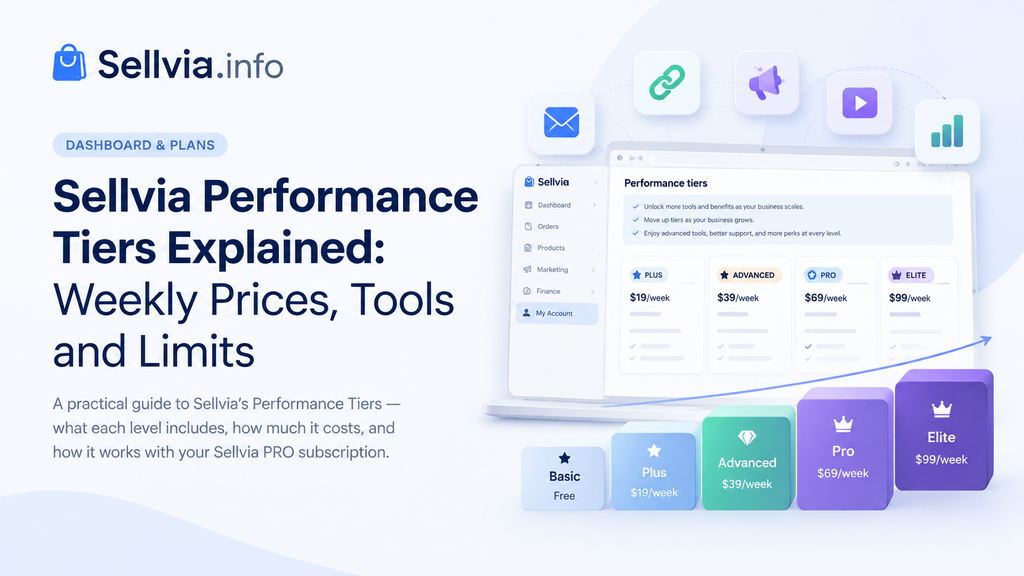
Open the Plans area of a Sellvia account and two different subscription systems can need to be read together. Sellvia PRO is billed monthly, while the optional Performance Tier is billed separately and uses weekly prices. The names also overlap: both systems use terms such as Basic or Advanced, but they control different things. This guide explains what the Performance Tier system does, what each level currently costs and may include, where to verify account-specific limits, and how upgrades and downgrades work under Sellvia’s current Terms of Use.
Sellvia Performance Tiers: Quick Answer
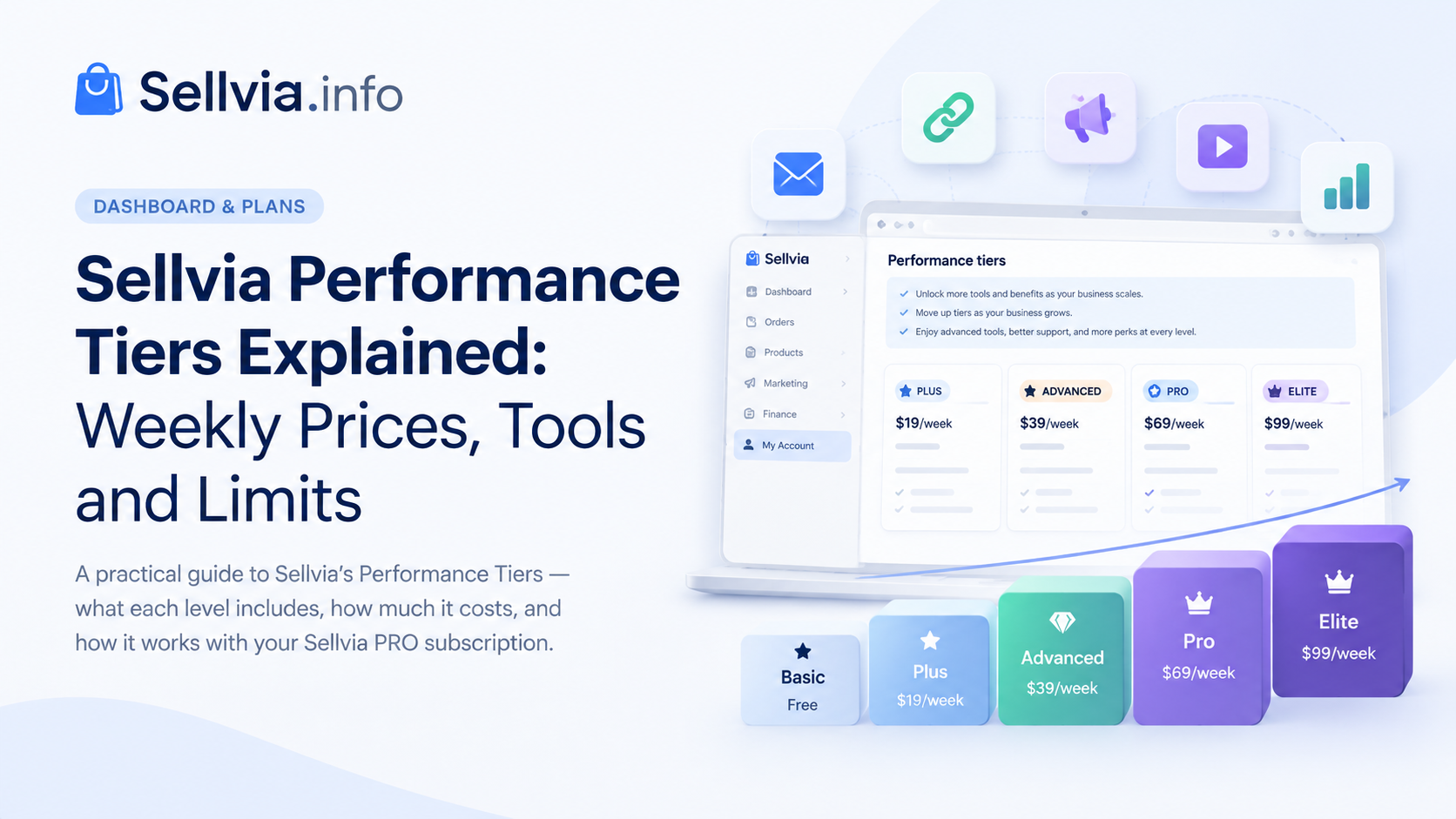
Sellvia Performance Tiers are an optional tool-access layer used alongside the main Sellvia PRO subscription. Sellvia’s current Terms of Use describe Basic as the free baseline and list Plus at $19 per week, Advanced at $39 per week, Pro at $69 per week, and Elite at $99 per week. The current Dashboard comparison reviewed for this guide begins with the paid Plus tier and confirms the same $19/$39/$69/$99 weekly progression.
The live comparison also confirms how the toolkit expands: Email Marketing and Google Backlinks start at Plus; Social Media Marketing, SEO Blog Posts, and Design Customization appear from Advanced; YouTube Marketing and Promo Videos appear from Pro; and Elite adds Instagram & TikTok Ads, Instagram & TikTok Store access, Premium Themes, and the Priority Support Hotline. Sellvia Market Listing is shown as included across all four paid tiers. No numeric order limit appears in the current comparison screen, so account-specific limits should be verified in the live Dashboard or applicable service description rather than taken from an older table online.
What Are Sellvia Performance Tiers?
A Performance Tier is not a bigger version of the Sellvia store. It is a separate, optional subscription that unlocks a defined bundle of platform tools, and it exists alongside the Sellvia PRO plan rather than replacing any part of it. Sellvia’s terms are explicit that Performance Tiers are supplementary to PRO and can only be used together with an active PRO subscription.
It also helps to know what a Performance Tier is not. It is not a wallet, a credit balance, or stored value of any kind, and it works nothing like the Pending, Incoming, and Available balance stages that a store’s earnings move through. The terms describe it as a service access subscription, meaning the weekly charge buys access to specific tools for that billing period, not funds that sit in an account or that could later be requested through a payout.
The scaling idea behind the system is straightforward: different accounts may need different levels of marketing, content, video, and design functionality. Rather than presenting every Performance Tier tool as one flat bundle, Sellvia organizes access into five levels so the toolkit can expand as the account’s needs change.
Performance Tier vs Sellvia PRO: The Difference That Matters
This is the part of the Dashboard most likely to cause confusion, and it is worth being precise about it before going any further.
Sellvia PRO is the core subscription. It is what pays for the store itself, the hosting, and the Partner Account tied to the store, and it comes in three plans: Basic at $39 a month, Advanced at $99 a month, and Ultimate at $299 a month, with the Advanced and Ultimate PRO plans becoming available only after at least three consecutive months of paid PRO subscription. These PRO plans are differentiated mainly by product catalog size and server space; the separate Sellvia pricing guide covers how the PRO plans fit into the wider account cost structure.
Performance Tiers are a completely separate system that happens to reuse some of the same words. A Performance Tier does not touch product limits or hosting space. It gates access to marketing and design tools, and its own tier names are Basic, Plus, Advanced, Pro, and Elite, billed weekly rather than monthly.
The shared plan names make the billing label especially important. Sellvia PRO has an Advanced plan at $99 per month, while Performance Tiers have a separate Advanced level at $39 per week. When the word “Advanced” appears in an account notice, checking the price and billing frequency immediately identifies which system is being referenced.
| Sellvia PRO | Performance Tier |
|---|---|
| Core subscription for the store, hosting, and Partner Account | Optional add-on subscription for marketing and design tools |
| Billed monthly ($39, $99, or $299) | Billed weekly ($0, $19, $39, $69, or $99) |
| Required for the store and Dashboard to function | Supplementary; only usable with an active PRO subscription |
| Plan names: Basic, Advanced, Ultimate | Tier names: Basic, Plus, Advanced, Pro, Elite |
| Differentiated by product catalog size and server space | Differentiated by marketing and design tool access |
The practical distinction to remember is therefore not the tier name alone, but the combination of system + billing frequency + included functionality.
Where to Find Your Performance Tier in the Sellvia Dashboard
Sellvia’s current Terms of Use point customers to the Plans tab in their Sellvia account for plan changes. The site’s broader Dashboard walkthrough documents Plans under My Account. Interface labels can change, so the practical instruction is simple: open the account-management area and use Plans as the place to verify the current Performance Tier, its price, and the tools attached to it.
The current Dashboard screenshot below is particularly useful because it shows the paid Performance Tier comparison as an actual account sees it. The screen starts at Plus for $19/week, then moves through Advanced for $39/week, Pro for $69/week, and Elite for $99/week. In the account shown, Elite is marked Your current tier.
- Weekly price. The four paid tiers are visibly labeled $19, $39, $69, and $99 per week.
- Included versus not included. The table uses clear status labels for each feature, making it possible to identify the first tier that contains a needed tool.
- Shared paid-tier benefit. Sellvia Market Listing is shown as included across Plus, Advanced, Pro, and Elite.
- Elite support benefit. Priority Support Hotline is shown only under Elite in this comparison.
- No numeric order threshold on this screen. The current comparison does not display a fixed numeric order-limit row.
The most useful habit when reading Plans is still to check the billing frequency first. A $39 monthly Sellvia PRO charge and a $39 weekly Advanced Performance Tier charge are different subscriptions even though the number is identical.

Sellvia Performance Tiers at a Glance
The live Dashboard screenshot provides a stronger account-level comparison than older secondary tables because it shows exactly which tools are currently marked Included or Not included. The table below reproduces that current paid-tier comparison in a scan-friendly format.
| Feature | Plus $19/week | Advanced $39/week | Pro $69/week | Elite $99/week |
|---|---|---|---|---|
| Sellvia Market Listing | Included | Included | Included | Included |
| Priority Support Hotline | Not included | Not included | Not included | Included |
| Email Marketing Tool | Included | Included | Included | Included |
| Google Backlinks Tool | Included | Included | Included | Included |
| Social Media Marketing Tool | Not included | Included | Included | Included |
| SEO Blog Posts Tool | Not included | Included | Included | Included |
| Design Customization Tool | Not included | Included | Included | Included |
| YouTube Marketing Tool | Not included | Not included | Included | Included |
| Promo Videos | Not included | Not included | Included | Included |
| Instagram & TikTok Ads Tool | Not included | Not included | Not included | Included |
| Instagram & TikTok Store | Not included | Not included | Not included | Included |
| Premium Themes | Not included | Not included | Not included | Included |
Where is Basic? Sellvia’s current Terms of Use still describe Basic as the free baseline Performance Tier with limited functionality, but Basic is not shown as a column in the current paid-tier comparison screen supplied for this guide. The Dashboard instead presents the upgrade ladder as starting from Plus at $19/week.
That distinction matters because the live screen and the contractual tier description answer slightly different questions. The Terms establish that a Basic baseline exists; the current Dashboard comparison shows what a customer can move into when choosing among the paid Performance Tiers.
The current screenshot also does not show a numeric order limit for any of the paid tiers. Sellvia’s terms state that specific limits and thresholds can be defined in the Dashboard or applicable service descriptions and may change. For that reason, this guide does not revive older fixed order-limit figures that are absent from the current screen.
What Weekly Performance Tier Pricing Means in Practice
Performance Tier prices are quoted per week, so they should not be compared one-for-one with Sellvia PRO’s monthly prices. A simple four-week view makes the billing scale easier to understand:
| Tier | Weekly price | Four-week total |
|---|---|---|
| Basic | Free | $0 |
| Plus | $19 | $76 |
| Advanced | $39 | $156 |
| Pro | $69 | $276 |
| Elite | $99 | $396 |
A four-week total is useful for quick budgeting, but four weeks is not the same as a calendar month. Over a full year, a weekly subscription has 52 billing periods, so the average calendar-month equivalent is slightly higher than simply multiplying the weekly price by four. For a complete view of PRO subscription costs and other account expenses, use the full Sellvia pricing guide rather than treating this table as a total cost estimate.
The key point is that Performance Tier billing is separate from Sellvia PRO. Sellvia’s terms state that Performance Tiers follow their own billing cycle and that no additional processing, transaction, or service fees are applied to the Performance Tier subscription payment itself.
Basic Tier
Basic is the free baseline level described in Sellvia’s current Terms of Use. The terms characterize it as limited Performance Tier functionality with restricted feature availability. The current Dashboard screenshot used for this article does not display Basic in the paid comparison table; instead, the visible upgrade ladder begins with Plus at $19 per week. That makes Basic best understood as the no-paid-tier baseline rather than as a fifth paid package sitting beside the four cards shown in the current interface.
Plus Tier: $19/Week
Plus is the first paid Performance Tier shown in the current Dashboard. The screen marks Sellvia Market Listing, Email Marketing Tool, and Google Backlinks Tool as included. Social Media Marketing, SEO Blog Posts, Design Customization, YouTube Marketing, Promo Videos, Instagram and TikTok tools, Premium Themes, and the Priority Support Hotline are shown as not included at this level.
Operationally, Plus is the narrowest paid tool bundle. It makes the most sense when email and backlink tools are the immediate need and there is no reason to pay for the broader content, design, video, or social-commerce features yet.
Advanced Tier: $39/Week
Advanced keeps the Plus features and expands the current Dashboard toolkit with Social Media Marketing Tool, SEO Blog Posts Tool, and Design Customization Tool. Sellvia Market Listing remains included. The Dashboard still marks YouTube Marketing, Promo Videos, Instagram and TikTok tools, Premium Themes, and Priority Support Hotline as not included.
This is the clearest step from a small set of individual marketing tools into a broader content-and-design workflow. It is also the tier whose name overlaps with the separate Sellvia PRO Advanced plan, so the $39/week billing label is the quickest way to distinguish the Performance Tier from the monthly PRO plan.
Pro Tier: $69/Week
Pro carries forward the tools shown at Advanced and adds YouTube Marketing Tool and Promo Videos. In the current comparison, Sellvia Market Listing remains included while the Instagram & TikTok Ads Tool, Instagram & TikTok Store, Premium Themes, and Priority Support Hotline remain reserved for Elite.
The practical dividing line here is video. A business that has no current need for YouTube-oriented promotion or prepared promo-video assets may not gain much from moving from Advanced to Pro purely for the tier name. A workflow that actively uses those assets has a much clearer reason for the upgrade.
Elite Tier: $99/Week
Elite is the broadest standard tier displayed in the current Dashboard. In addition to everything already included below it, the screen adds the Instagram & TikTok Ads Tool, Instagram & TikTok Store, Premium Themes, and the Priority Support Hotline. The supplied account screenshot marks Elite as Your current tier.
That makes Elite materially different from Pro rather than simply a larger label. The extra value is concentrated in social-commerce access, paid social tooling, theme access, and priority support. Those are useful additions for an account that is actually using them, but they are not prerequisites for every Sellvia user.
What Appears Beyond Elite?
The current Dashboard has one more useful detail below the standard comparison: a Need more than Elite? section with a Contact sales action. The screen presents this as a path for businesses that need custom solutions rather than another fixed self-service tier.
The current interface specifically describes custom capacity, priority support with dedicated account management, and flexible pricing built around business requirements. That should not be treated as a public sixth Performance Tier with a fixed price. It is a sales-led custom arrangement, so eligibility, scope, and pricing need to be confirmed directly with Sellvia.
How Sellvia Performance Tier Limits Work
The supplied Dashboard screenshot resolves one important ambiguity: the current paid-tier comparison does not display a numeric order-limit row. It compares weekly prices, Sellvia Market Listing, support access, and the marketing/design tools included at each tier.
That is why this article does not publish older fixed order-cap figures that can still be found in secondary copies and outdated summaries. Sellvia’s current Terms of Use state that specific features, limits, and tool availability can be defined in the Dashboard or applicable service descriptions, and that order thresholds may vary by tier and may be updated.
If a numeric threshold appears elsewhere in a particular account, use the value shown in that live account rather than assuming an older public number is permanent. If no numeric threshold is displayed, there is no reason to invent one from an outdated table. This is separate from the workflow for an individual purchase, which is covered in the Sellvia order processing guide.
How Upgrades Work
Sellvia’s current Terms of Use are explicit about Performance Tier upgrades. An upgrade takes effect only when the customer selects the applicable tier in the Sellvia Dashboard or otherwise expressly requests the change. Sellvia states that it does not increase a customer’s Performance Tier, or the amount charged for it, without the customer’s express request.
That means a higher order volume should not be interpreted as permission for an automatic Performance Tier charge. When considering a higher tier, the practical sequence is to identify the tool that is needed, verify which tier currently includes it, review the weekly price shown in Plans, and then make the change deliberately.
How Downgrades Work
Downgrading is not handled as a simple one-click reversal of an upgrade. Per the current terms, a customer requesting a tier adjustment does so by contacting Sellvia Support, and the downgrade request is then subject to review.
The review exists because the requested lower tier must be compatible with the account’s current activity and enabled tools. Sellvia reserves the right to decline a downgrade that would create feature incompatibility or service disruption. The practical point is that a downgrade should be treated as a reviewed account change, not as an instant reversal of an upgrade.
What Happens to Your Tier If Sellvia PRO Stops?
Performance Tiers cannot operate independently of Sellvia PRO. The current terms state this directly: if the Sellvia PRO subscription is canceled, suspended, or expires, access to all associated Performance Tier features is automatically suspended until the PRO subscription is reactivated.
Changing or canceling a Performance Tier, in the other direction, does not affect the billing, renewal, or validity of the Sellvia PRO subscription. The two billing cycles run independently of each other in that sense, but Performance Tier access is fully dependent on PRO staying active, while PRO does not depend on Performance Tier at all. That dependency only runs one way.
Which Sellvia Performance Tier Fits Your Workflow?
The tier names are ordered by price, not by how “advanced” a store owner personally is, and it is easy to read Elite as the tier serious sellers are supposed to work toward. A more useful way to choose is to start from the tools actually planned for use.
Basic makes sense when no paid marketing tools are needed yet, or the store is still validating whether it has consistent order flow worth building marketing infrastructure around.
Plus makes sense when the priority is staying in touch with past buyers through email and getting a basic backlink presence going, without committing to a wider content or design package.
Advanced becomes useful when social media posting, blog content for search visibility, and store design customization are all things that will realistically get used on a regular basis, not just tools that sound good to have.
Pro becomes relevant when video promotion, specifically YouTube marketing and promotional video assets, is already part of the plan for growing the store.
Elite becomes relevant when the store is set up to actively run Instagram or TikTok as a sales channel and wants access to the fuller theme library, on top of everything included in the tiers below it.
None of this changes the core point: a Performance Tier is worth paying for the tools inside it that will genuinely get used, not for the name of the tier itself.
Performance Tier Decision Tree
A short version of the logic above, read top to bottom:
Does the store need any paid Performance Tier tools right now? If no, Basic is likely sufficient for the moment.
If yes, which specific tool is the priority? For email marketing or backlink building, check whether Plus already covers it. For social media, SEO blog content, or store design work, check Advanced. For YouTube or promotional video work, check Pro. For a full social commerce and theme toolkit, check Elite.
Whatever the answer, the final step is the same: open the live Plans screen and confirm the price, the tool list, support access, and any account-specific limit shown elsewhere before changing anything, since tool availability by tier is explicitly subject to change under Sellvia’s current terms.
Why a Sellvia Tool May Be Locked or Unavailable
If a Sellvia tool appears unavailable, there are several account-level checks to make before treating it as a technical problem.
The current Performance Tier does not include it. Open Plans, confirm the active Performance Tier, and compare it with the current tool availability shown for the account.
The tool belongs to a higher tier than expected. The current Dashboard comparison shows YouTube Marketing and Promo Videos starting at Pro, while Instagram & TikTok Ads, Instagram & TikTok Store, and Premium Themes appear only at Elite. A feature marked Not included is therefore usually a tier-access issue rather than a broken tool.
The Sellvia PRO subscription is inactive. Because Performance Tier features are automatically suspended when PRO is not active, a lapsed or canceled PRO subscription will lock out Performance Tier tools even if the weekly Performance Tier subscription itself was never canceled.
The account’s Dashboard screen differs from an article or an old screenshot. Sellvia’s terms explicitly reserve the right to change tool availability and feature scope by tier at its discretion. A live Dashboard always takes priority over any published description, including this one.
A tier adjustment is still under review. Downgrades are subject to an account and compatibility review, so access may not change in the same way or at the same moment as a customer-initiated upgrade.
A price, tool list, or limit does not match an older screenshot. Sellvia states that features, limits, and tool availability may change. Use the current Plans screen and current official terms rather than an older image as the final reference.
Common Performance Tier Mistakes
Confusing the weekly price with a monthly price. A $39 Performance Tier charge and a $39 PRO subscription charge are not on the same billing cycle, and mentally converting one into the other without checking the label next to it is an easy way to misjudge monthly costs.
Confusing Sellvia PRO Advanced with Performance Tier Advanced. These are two different plans, at two different prices, on two different billing cycles, that happen to share a name.
Treating an old order threshold as permanent. The current terms state that thresholds may vary by tier and may be updated, so any current limit should be confirmed in Plans.
Relying on an old screenshot or a third-party article for the current tool list. Tool availability by tier is subject to change at Sellvia’s discretion, so a live Dashboard check is the only reliable source at the moment a decision is being made.
Choosing a tier by name rather than by tool. Elite is not inherently the “correct” tier to grow into. It is the tier with the widest tool set, which is only useful if those specific tools are part of the plan.
Assuming a downgrade applies instantly. Downgrade requests go through Sellvia Support and a compatibility review, not a one-click self-service change.
Assuming Performance Tier keeps working if Sellvia PRO lapses. Performance Tier access depends entirely on an active PRO subscription and is automatically suspended if PRO is not active.
A Practical Way to Read the Performance Tiers Screen
A reliable way to read the Plans screen without mixing the two subscription systems is to use the following sequence:
- Identify the current Performance Tier first, separately from whatever Sellvia PRO plan is shown nearby.
- Note the exact weekly charge and when it renews, not just the tier name.
- Identify the one or two tools actually needed, rather than scanning the whole list.
- Check which tier is the first one to include that tool, using the master table above as a starting point and the live Dashboard as the final check.
- Do not assume a numeric order cap from an older article. The current paid-tier comparison shown above does not display one; if the account shows a threshold elsewhere, use that live value.
- Review billing and renewal information for both the Performance Tier and the separate PRO subscription.
- Only after all of that, decide whether an upgrade, a downgrade, or no change at all is the right move.
Reading the screen in that order, rather than jumping straight to “should I upgrade,” is what tends to prevent the naming and billing mixups covered earlier in this article.
FAQ
What are Sellvia Performance Tiers?
They are an optional, weekly-billed add-on subscription layered on top of Sellvia PRO. They control access to marketing and design tools rather than core store or hosting features, and they only function while a Sellvia PRO subscription is active.
Is a Sellvia Performance Tier required?
No. Basic is the free baseline described in the current Terms. The live Dashboard comparison used for this guide begins with the paid Plus tier at $19/week, so a paid Performance Tier becomes relevant when the account needs tools beyond that baseline.
Is Sellvia Plus $19 per week or per month?
Per week. Performance Tiers run on a weekly billing cycle, which is a common point of confusion since the main Sellvia PRO subscription is billed monthly.
What is the Sellvia Basic Performance Tier?
Basic is the free baseline Performance Tier described in Sellvia’s current Terms of Use. It is not shown as a column in the current paid-tier Dashboard comparison, which begins with Plus at $19/week.
What is included in Sellvia Advanced?
The current Dashboard shows Advanced including Sellvia Market Listing, Email Marketing, Google Backlinks, Social Media Marketing, SEO Blog Posts, and Design Customization. YouTube Marketing and Promo Videos start at Pro.
What is included in Sellvia Pro?
The current Dashboard shows Pro carrying forward the Advanced tools and adding YouTube Marketing Tool and Promo Videos. Instagram/TikTok tools, Premium Themes, and Priority Support Hotline remain exclusive to Elite in the current comparison.
What does Sellvia Elite include?
The current Dashboard shows Elite including the full paid-tier tool set plus Instagram & TikTok Ads Tool, Instagram & TikTok Store, Premium Themes, and Priority Support Hotline. Sellvia Market Listing is also included, as it is across all four paid tiers.
What is the Sellvia Performance Tier order limit?
The current paid-tier Dashboard comparison supplied for this guide does not display a numeric order limit. Sellvia’s Terms state that specific limits can be defined in the Dashboard or applicable service descriptions and that thresholds may vary. If an account-specific threshold appears elsewhere in the account, use that live value rather than an older fixed figure.
Can I change my Sellvia Performance Tier?
Yes. Upgrades take effect once the applicable tier is selected in the Dashboard or otherwise expressly requested. Downgrades go through a request to Sellvia Support and a compatibility review before being approved.
Can I downgrade my Sellvia tier?
Yes, but not always instantly. A downgrade request is reviewed against current account activity and already-enabled tools, and Sellvia can decline a downgrade that would create a feature incompatibility.
Does Performance Tier replace Sellvia PRO?
No. Performance Tiers are supplementary and only usable alongside an active Sellvia PRO subscription. They do not replace, modify, or reduce any part of the PRO subscription requirement.
What happens to Performance Tier if I cancel Sellvia PRO?
Access to Performance Tier features is automatically suspended if the PRO subscription is canceled, suspended, or expires, and remains suspended until PRO is reactivated.
Why is a tool locked in my Sellvia Dashboard?
Most commonly because the current Performance Tier does not include it, or because the Sellvia PRO subscription tied to the account is not currently active. Checking the required tier against the current tier on the Plans screen resolves most of these cases.
Does Sellvia have a tier above Elite?
The current Dashboard does not show another fixed self-service tier above Elite. Instead, it shows a Need more than Elite? section with a Contact sales option for custom solutions, dedicated account-management support, and flexible pricing based on business requirements.
Where can I see my current Sellvia tier?
Open the Sellvia account and go to the Plans tab. In the current comparison screen reviewed for this guide, the active paid level is explicitly marked Your current tier. The supplied screenshot shows that marker on Elite for that particular account.
Reading the Screen, Not the Marketing Names
Performance Tiers make more sense once they stop being read as competing package names and start being read as progressive access levels attached to specific tools. Sellvia’s Terms describe Basic as the free baseline, while the current Dashboard comparison begins with Plus and confirms the paid progression through Advanced, Pro, and Elite. The live screen also makes the upgrade logic visible: each step adds a specific group of tools rather than simply changing the name of the plan.
The one habit worth carrying away from this article is simple: identify the tool a store actually needs first, then look up which tier includes it, then confirm the current price, included tools, support level, and any account-specific limit shown in the live account before making a change. That order, rather than choosing by the tier name alone, makes the Sellvia PRO and Performance Tier systems straightforward to distinguish and keeps the decision focused on the tools the account actually needs.

Jeck Palmer is an ecommerce writer and platform researcher at Sellvia.info. He specializes in analyzing Sellvia’s features, pricing, tools, advertising system, order workflow, and overall business model. His articles are designed to explain complex platform processes in clear and practical language, helping beginners understand potential costs, evaluate available tools, and make more informed decisions before starting an online business.