
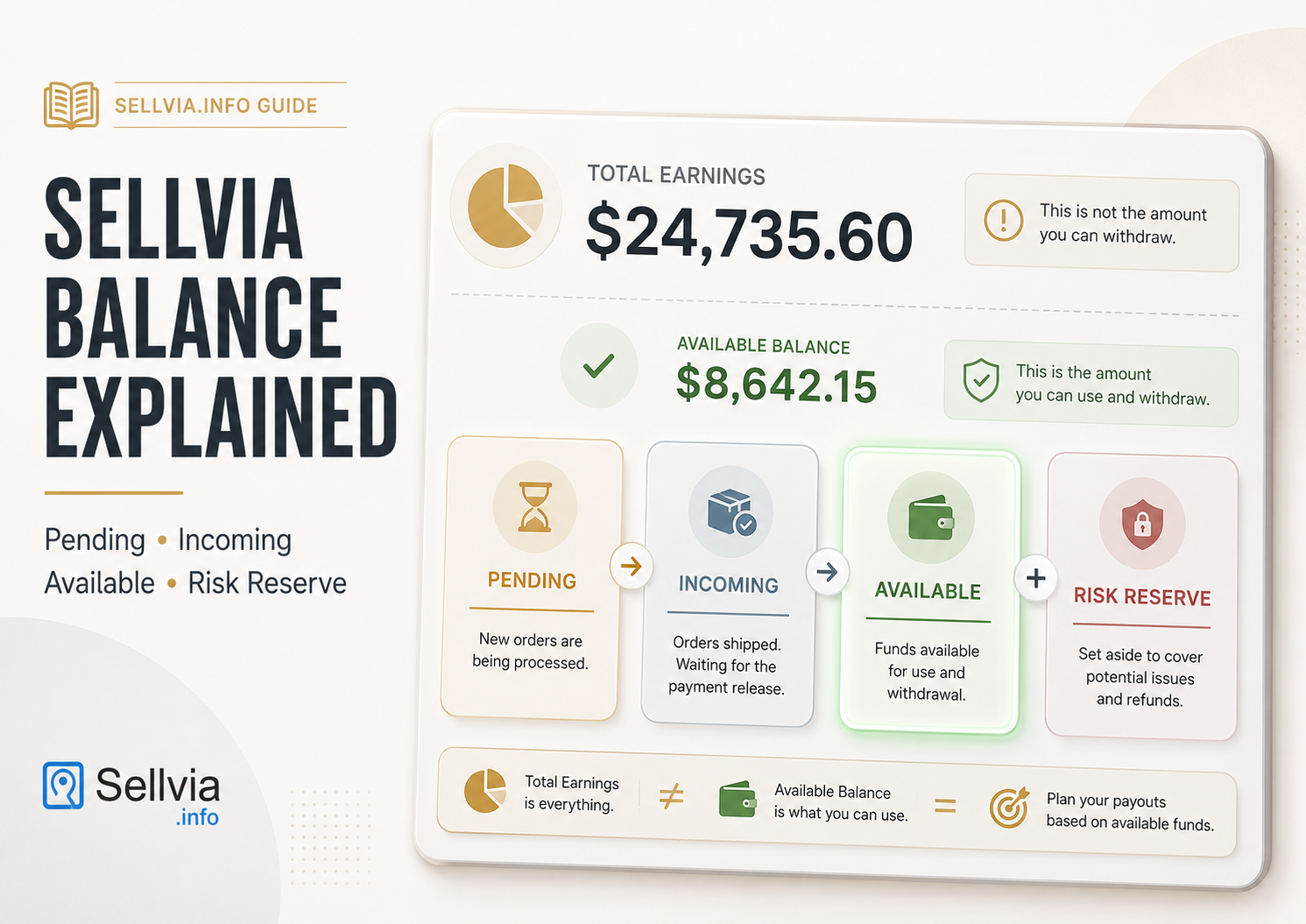
Sellvia Balance Explained
While reviewing the Sellvia balance dashboard and its supporting documentation for Sellvia.info, I noticed that the largest number on the screen is not necessarily the one that matters most for immediate cash-flow planning. A new store owner can see Total Earnings in the thousands, assume that same amount is ready to move into a bank account, and then discover that the smaller Available figure controls what can actually be used or redeemed now. This is the most common source of confusion around the Sellvia balance, and it is usually not a calculation error or a hidden fee. The dashboard is showing several different financial concepts at once, each with its own rules.
In this guide, I break down what each figure means, how commission moves from Pending to Incoming, Available, and Risk Reserve, and where the live dashboard, Help Center, and Terms do not use identical wording. The practical reading order I use is simple: start with Available, then work backward through Incoming and Pending, rather than starting with Total Earnings.
Sellvia Balance Explained: Quick Answer
- Total Earnings is a cumulative, gross sales figure. It grows with every sale and never resets, but it is not a spendable balance.
- Commission Balance is the dashboard total across four commission states: Pending, Incoming, Available, and Risk Reserve. These states do not all have the same legal or payout status.
- Pending commission is associated with an unprocessed order. Incoming commission is associated with a processed order and remains in Sellvia’s standard 72-hour verification stage.
- Available is the portion that has reached the redemption-eligible stage, but a bank payout still depends on thresholds, verification, account status, method rules, and approval.
- Risk Reserve is the dashboard label for commission awaiting progressive allocation during a validation window. Sellvia’s Help Center describes a standard 25% allocation for up to 125 days, while the Terms allow the percentage and period to vary.
- Seeing a large total does not mean that same amount can be withdrawn today. Only the Available portion is currently usable, and even that is subject to payout minimums and account conditions.
The Four Numbers Users Commonly Confuse
New store owners tend to conflate four separate figures that appear close together on the dashboard home screen. Keeping them distinct is the first step toward understanding the balance system. Sellvia’s official balance and payout documentation defines these figures separately and explicitly warns that a large total balance does not mean the same amount is available.
| Dashboard Figure | What It Represents | Can It Be Withdrawn Now? |
|---|---|---|
| Total Earnings | Cumulative gross revenue recorded from sales in the store | No – it is a lifetime sales counter, not a balance |
| Payouts | Historical total of funds previously withdrawn or redeemed | No – a historical record, not a current balance |
| Commission Balance | Dashboard total across Pending, Incoming, Available, and Risk Reserve | Partially – only the Available portion inside it |
| Available | Commission that has reached the redemption-eligible stage under the dashboard workflow | Yes, subject to the payout minimum and account eligibility |
The practical takeaway is that none of these four numbers should be read as “my current spendable cash.” Only Available comes close, and even it comes with conditions covered later in this article.
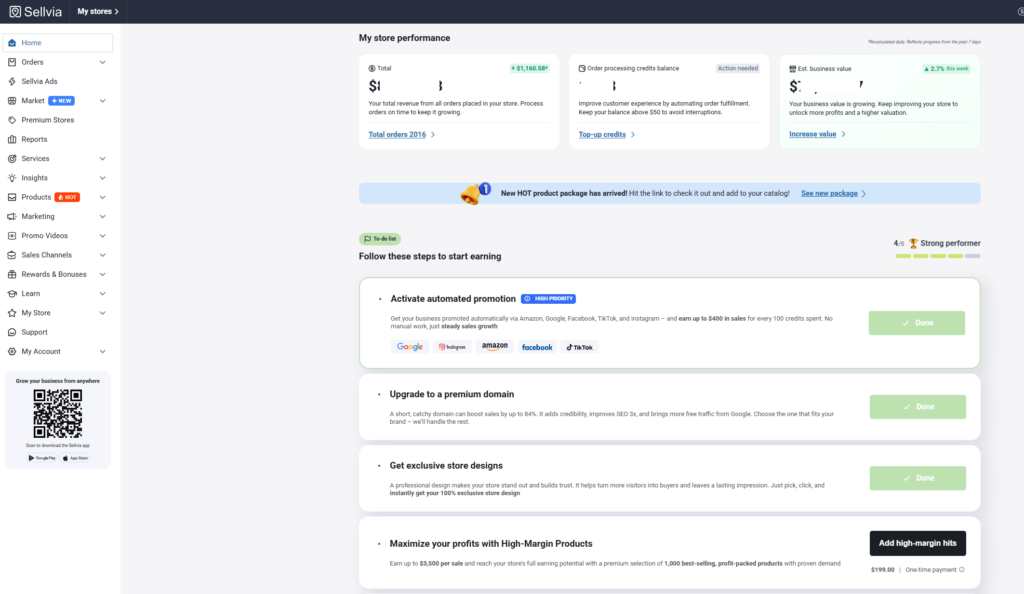
How Money Moves Through the Sellvia Dashboard
Commission does not appear in your bank account the moment a customer pays. It travels through a defined sequence of stages, and each stage exists for a specific operational reason:
Pending → Incoming → Available + Risk Reserve → Available after reserve release
- A customer places an order, and the associated commission enters Pending.
- Once the store owner (or their Order Processing Credits) processes that order, the commission moves into Incoming, a short verification window.
- After the Incoming period ends, the commission splits: the majority moves to Available, and a smaller portion is set aside in Risk Reserve.
- After the Risk Reserve’s holding period ends without a chargeback, refund, or dispute affecting it, that portion is released into Available as well.
This is a staged system, not a single balance that jumps instantly from “sale” to “bank account.” Understanding this sequence is also the key to understanding how the Sellvia workflow works from order to payout.
Illustrative $100 Commission Flow
The following example uses a hypothetical $100 commission amount. It is not a promise, and it should not be interpreted as a $100 customer order. Its only purpose is to show how the dashboard stages relate to one another.
| Stage | Illustrative Amount | What It Means |
|---|---|---|
| Pending | $100.00 | The related order has not yet been processed. The commission cannot advance. |
| Incoming | $100.00 | The order has been processed and the commission enters the standard 72-hour verification stage. |
| Available after Incoming | Up to $75.00 | Under the standard Help Center model, up to 75% may transition to Available. |
| Risk Reserve | Up to $25.00 | The remaining portion may await allocation for up to 125 days. |
| Available after validation | Up to $100.00 total | If no adjustment is required, the remaining commission may transition to Available. |
The actual allocation can differ because the Terms allow Sellvia to modify the percentage and validation period. The example demonstrates the standard published flow, not a guaranteed account outcome.
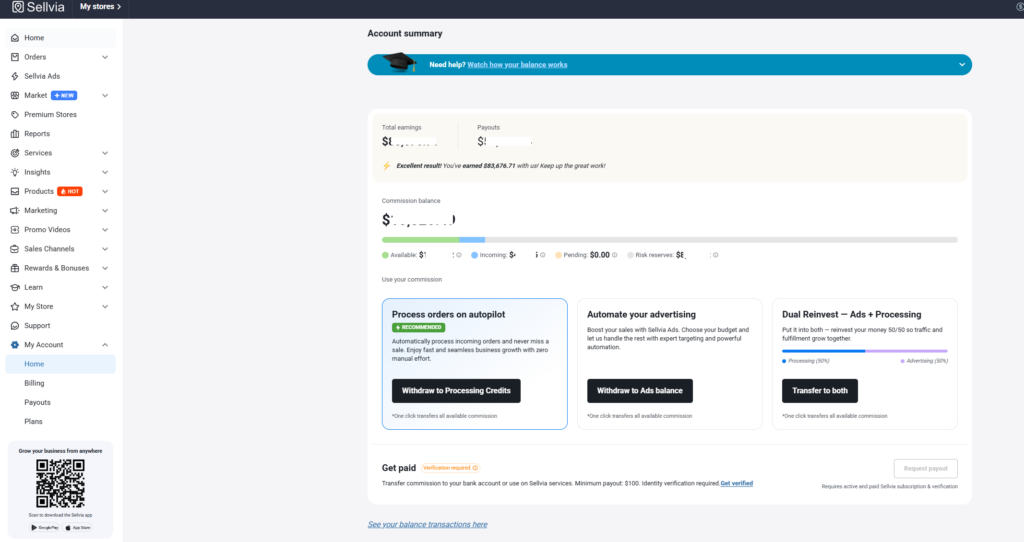
Pending, Incoming, Available and Risk Reserve Compared
| Status | Trigger | Standard Timing | Usable Now? |
|---|---|---|---|
| Pending | Customer order recorded but not processed | Until processing; unprocessed orders may be cancelled after seven days | No |
| Incoming | Order processed | 72 calendar hours under the current standard | No |
| Available | Commission reaches the redemption-eligible stage | After Incoming or later reserve allocation | Eligible for permitted actions, subject to conditions |
| Risk Reserve | Progressive allocation under the standard model | Up to 125 days under the current standard | Not for bank redemption; Ads documentation currently conflicts |
What Pending Means
Pending commission is tied to an order that has been placed by a customer but has not yet been processed in the dashboard. Processing is the step where the store owner (or an automatic system funded by Order Processing Credits) pays for the underlying product cost so the order can be fulfilled.
Until that processing step happens, the associated commission cannot move forward. A large Pending figure is not free money sitting in reserve – it typically indicates one of a few things:
- A batch of recent orders has not been processed yet.
- The store owner does not currently have enough funds in Order Processing Credits or a linked card to cover automatic processing.
- There is a short lag between an order coming in and the processing step being completed.
Sellvia’s Order Processing Credits guide currently states that unprocessed orders can remain Pending for up to seven days before cancellation and refund. This is one reason processing promptly matters: a large Pending figure that never progresses through processing does not become Available commission.
Pending is a status, not a payout.
What Incoming Means
Once an order has been processed, its commission does not immediately become spendable. It first passes through Incoming, a short holding window used for order verification, fraud screening, and checking for immediate refunds or disputes.
The current standard Incoming period is 72 hours, or three calendar days, after the order is processed. Weekends are included. Sellvia states that this stage is used to verify attributed activity, confirm order completion, and detect fraud, abuse, disputes, or refund-related issues. A simple way to visualize it:
- Day 0 – order is processed, commission enters Incoming
- Hours 0-72 – Incoming verification window, including weekends
- After verification – commission splits into Available and Risk Reserve
There is no manual action that skips this stage. Processing an order faster does not shorten the standard Incoming window; it only starts the clock sooner. Sellvia says the transition normally occurs automatically after 72 hours, although later availability can still be affected by validation, adjustments, account reviews, or the Terms. This distinction matters for cash-flow planning: processing an order starts the sequence, but it does not create instantly usable funds.
What Available Means
Available is the figure that matters most for anyone trying to plan near-term spending, whether that spending is a bank withdrawal, reinvestment in ads, or replenishing Order Processing Credits. It represents commission that has cleared both the Pending and Incoming stages and has reached the stage where it is eligible for use.
That said, Available in the dashboard is not the same thing as an approved bank deposit. Sellvia’s current documentation and Terms list several conditions that can apply before Available commission is redeemed:
- The Available amount must meet the minimum for the selected redemption method.
- The subscription must be active and fully paid; bank withdrawals are not available during the free trial.
- At least 14 days may need to have passed since signup, according to Sellvia’s withdrawal and reinvestment guide.
- Phone verification and identity verification must be completed.
- Orders associated with the storefront must be processed, and unresolved restrictions or unpaid service fees can affect approval.
- Each store maintains its own separate balance; balances are not automatically combined.
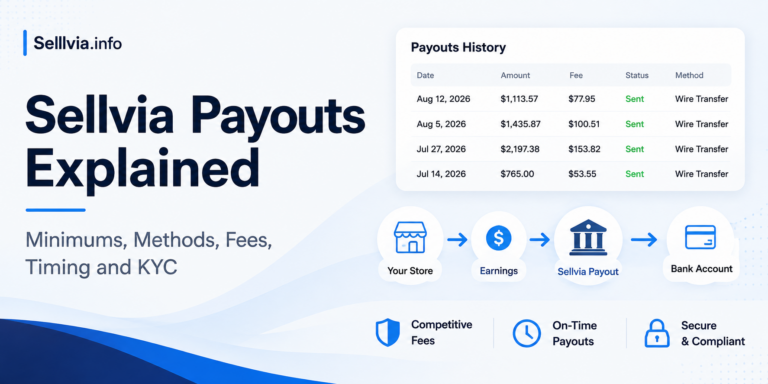
Official-document discrepancy: Sellvia’s Help Center currently presents a general $100 Available minimum per store, while the current Terms state $100 for U.S. residents and $300 for residents of other countries. Individual methods can also have higher minimums. The Help Center currently describes identity verification as a one-time $4.99 charge, while the Terms state a non-refundable $4.50 fee for each verification attempt. Confirm the threshold and verification charge displayed in your live dashboard before proceeding.
Available does not mean already paid.
What Risk Reserve Means
Risk Reserve exists because ecommerce transactions carry a real possibility of being reversed after the fact – a customer disputes a charge, requests a refund, or a payment is later flagged as fraudulent. Rather than releasing 100% of commission the moment the Incoming window closes, the system holds back a portion as a buffer.
Sellvia’s Risk Reserve documentation describes a standard model in which up to 75% transitions to Available after the 72-hour stage and the remaining 25% is shown in Risk Reserve for up to 125 days. If no adjustment is required, the remaining commission normally transitions to Available after the validation window.
It is important to distinguish the dashboard explanation from the legal wording. Sellvia’s current Terms of Use describe Commission as a Sellvia-funded, non-cash promotional incentive. They state that commission awaiting validation has not yet been fully earned or allocated, that no customer funds are held or stored, and that the allocation percentage and validation window can be changed based on account history, standing, activity type, and risk indicators. The 75/25 split and 125-day period should therefore be treated as the current standard dashboard model, not an unconditional guarantee for every account.
| Reserve Question | Practical Answer |
|---|---|
| Is it a platform fee? | Sellvia’s Help Center does not describe Risk Reserve as a fee. It is a temporarily unavailable stage in the commission allocation process. |
| Is customer money physically held for me? | No. The Terms state that Commission is not customer money, stored value, escrow, or funds held on the partner’s behalf. |
| Can it be withdrawn immediately? | No. Commission shown in Risk Reserve is not currently eligible for bank redemption. |
| Is it permanently lost? | Not under the standard flow. The remaining commission normally transitions to Available after validation if no adjustment is required. |
| Can the percentage or timing vary? | Yes. The Terms allow Sellvia to modify both based on account history, standing, activity, and risk indicators. |
Why Total Earnings Does Not Equal Available Balance
Total Earnings is a running count of gross revenue generated by the store. It grows with every sale, regardless of what happens afterward with processing, refunds, or reserve timing. It says nothing about profit margin, and it says nothing about how much of that revenue has actually converted into commission that has cleared every stage.
A useful way to hold these concepts apart:
Total Earnings ≠ Commission Balance ≠ Available Balance ≠ Completed Payout
- Total Earnings is not equal to Commission Balance, because Commission Balance reflects only your profit share, not gross sales.
- Commission Balance is not equal to Available Balance, because Commission Balance includes Pending, Incoming, and Risk Reserve amounts that have not cleared yet.
- Available Balance is not equal to a completed payout, because a payout still requires meeting the minimum threshold and account eligibility conditions.
Reading Total Earnings as “money I can spend” is the single most common misinterpretation of the Sellvia balance system.
Why Commission Balance Does Not Equal Withdrawable Cash
Commission Balance is best understood as a sum:
Commission Balance = Pending + Incoming + Available + Risk Reserve
Only the Available component inside that sum has reached the redemption-eligible stage. The remaining components are displayed as part of the dashboard’s commission cycle, but they have not all reached the same legal or payout status. Under the current Terms, commission still undergoing validation has not yet been fully earned or allocated.
There is also a legal distinction worth stating plainly. The Help Center uses simplified dashboard language such as “profit,” while the Terms define Commission as a Sellvia-funded promotional incentive rather than customer money, sales revenue, wages, stored value, a deposit, or escrow. Even Available Commission does not become payable merely because it appears on screen: the Terms state that redemption requires a valid request, successful verification, satisfaction of eligibility conditions, and approval. This distinction does not change how the dashboard is read, but it does change what the displayed number legally represents.
Illustrative Dashboard Example: Why $1,200 Is Not $1,200 Available
Consider a hypothetical dashboard with $5,000 in Total Earnings and a $1,200 Commission Balance:
| Dashboard Figure | Illustrative Amount | Immediate Interpretation |
|---|---|---|
| Total Earnings | $5,000.00 | Cumulative gross sales, not withdrawable profit. |
| Pending | $300.00 | Associated orders still need processing. |
| Incoming | $400.00 | Processed orders are in the 72-hour verification stage. |
| Available | $250.00 | This is the only portion currently at the redemption-eligible stage. |
| Risk Reserve | $250.00 | This portion is awaiting progressive allocation during the validation window. |
| Commission Balance | $1,200.00 | $300 + $400 + $250 + $250. It is not the amount immediately redeemable. |
In this example, the figure relevant to a current payout request is $250, not $1,200 and certainly not the $5,000 Total Earnings figure. Even the $250 remains subject to the selected method’s minimum, verification, subscription status, other eligibility conditions, fees, and approval.
AUTHOR’S PRACTICAL VIEW
When I review a Sellvia balance, I do not start with Commission Balance. I start with Available, because it is the only component that has reached the redemption-eligible stage. Then I check Incoming to estimate what may clear after the 72-hour period, and Pending to see whether unprocessed orders are slowing the cycle. This order gives a much more realistic picture of short-term liquidity than the headline balance alone.
Why Processing an Order Does Not Make the Full Amount Available
It is tempting to assume that once an order is processed, the associated commission is done traveling through the system. In reality, processing completion is only the trigger that starts the Incoming window. From there, commission still needs to:
- Clear the Incoming verification period.
- Split into an Available portion and a Risk Reserve portion.
- Wait out the Risk Reserve holding period for the reserved portion to be released.
Processing is a necessary step, not the final one. Store owners who process orders quickly are helping commission start this sequence sooner – they are not skipping any of the stages.
Sellvia Balance vs Order Processing Credits
One of the most common points of confusion is assuming that a healthy Commission Balance means there is automatically enough money to process new orders. In practice, Sellvia treats these as separate systems. The official Order Processing Credits guide states that the Sellvia balance cannot be used directly to process an order.
| Balance Type | Purpose | Withdrawable? | Used for Orders? |
|---|---|---|---|
| Commission Balance | Dashboard total across all four commission stages | Only the Available portion | No – cannot be used directly to pay for order processing |
| Available Commission | The cleared, usable portion of Commission Balance | Yes, subject to minimums and eligibility | Not directly – must first be transferred |
| Order Processing Credits | A separate funded balance used to automatically pay product costs when orders come in | No | Yes – this is what covers automatic order processing |
| Ads Credits | A separate funded balance used to pay for Sellvia’s built-in advertising | No | Not for orders – used specifically for ad spend |
In other words, a large Commission Balance does not eliminate the need to keep Order Processing Credits funded. A store can show healthy commission figures while still needing a separate source of funds – a card on file or transferred Available commission – to keep orders processing automatically. This distinction is directly relevant to Sellvia startup budget planning, since new store owners often underestimate how much separate processing capital they need during their first weeks.
What Can Be Done With Available Commission?
Once commission reaches Available status, the dashboard typically allows a few permitted actions:
- Requesting a payout to a linked bank account, once the account meets the minimum threshold and eligibility conditions.
- Transferring Available commission into Order Processing Credits, which lets it be used to fund future automatic order processing.
- Transferring Available commission into Ads Credits, which lets it fund continued advertising through Sellvia Ads.
The current general balance documentation lists a 28% service fee when Available commission is converted to Order Processing Credits, and the Terms list the same 28% rate. Bank redemption fees also vary by method. Before confirming any action, review the amount, fee, minimum, and expected delivery time displayed in the live dashboard.
Ads Credits documentation conflict: Sellvia’s general balance page and current Terms list a 5% fee for redeeming Commission toward Ads Credits. However, the dedicated Sellvia Ads billing page currently states that transfers from Available to Ads Credits carry a 0% fee and may draw from Risk Reserve when Available is insufficient. Because the official pages conflict, rely on the fee and funding source shown in your dashboard immediately before approving the transfer.
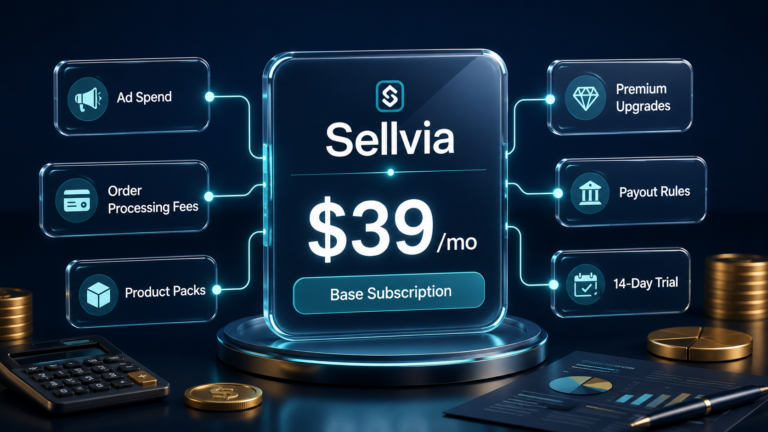
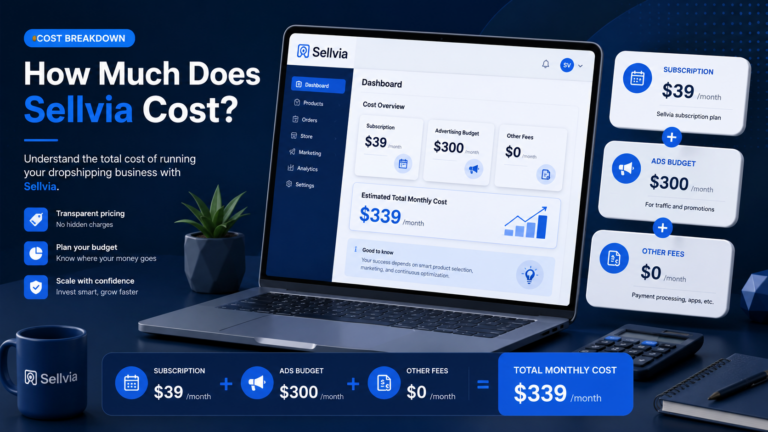
For a broader breakdown of subscriptions, processing capital, credits, ads, and redemption charges, see how much Sellvia actually costs.
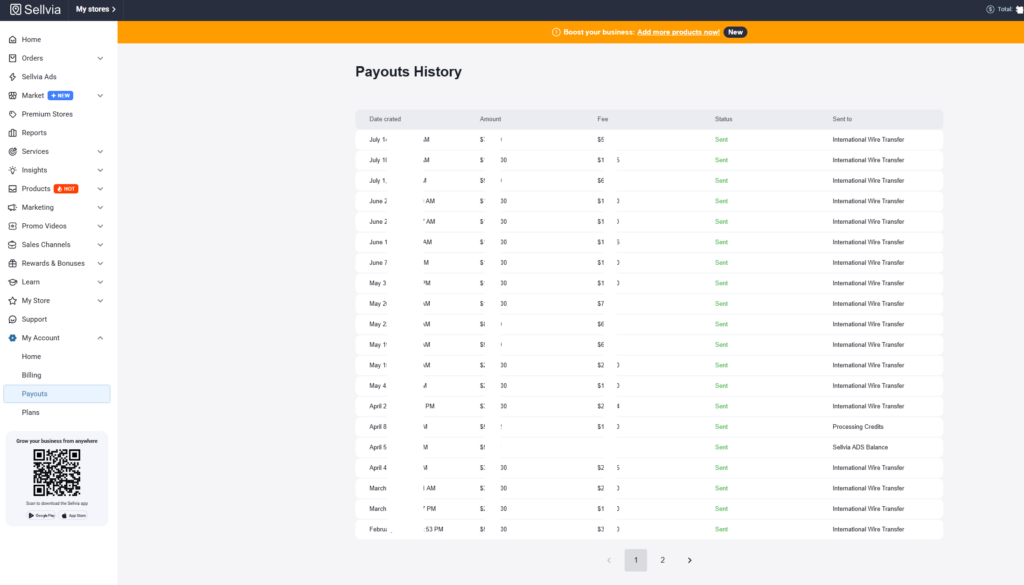
Why a Large Dashboard Balance Can Still Create a Cash-Flow Problem
This is not evidence that something is broken. It is a liquidity timing issue that every new store owner should plan around rather than discover by surprise:
- Orders sitting unprocessed still need processing capital before their commission can even begin the Incoming stage.
- Pending and Incoming commission cannot be treated as available operating cash, no matter how large the total looks.
- Risk Reserve is real commission, but it is delayed capital, not liquid capital.
- Advertising spend and order processing typically need to be funded from a separate source while early commission is still working its way through the stages.
- Rapid sales growth can actually increase the working-capital gap in the short term, since more orders means more commission temporarily parked in Pending, Incoming, and Risk Reserve at once.
Understanding this pattern early is closely tied to broader questions around Sellvia pricing and operating costs, since the subscription fee is only one part of the cash a new store owner needs on hand during the first few weeks.
How to Read the Sellvia Balance Correctly
- Check how many orders are currently awaiting processing.
- Review the Pending total and understand which orders it reflects.
- Review the Incoming total and how recently those orders were processed.
- Check the Available total – this is your near-term usable figure.
- Review the Risk Reserve total and when the oldest portion is due for release.
- Confirm current payout eligibility, minimums, and any applicable fees before requesting a withdrawal.
- Compare the Available figure against upcoming operating costs – ad spend, subscription renewal, and processing capital – before assuming funds are free to move elsewhere.
Common Sellvia Balance Mistakes
- Treating Total Earnings as personal profit rather than gross sales.
- Assuming the full Commission Balance is withdrawable cash.
- Ignoring a growing pile of unprocessed orders sitting in Pending.
- Believing that processing an order instantly makes its commission spendable.
- Counting Risk Reserve as current working capital when budgeting.
- Forgetting that a payout minimum applies before a withdrawal can be requested.
- Overlooking identity or account verification requirements tied to payouts.
- Assuming every payout or transfer method carries the same fee.
- Combining balances across multiple stores when only one store’s Available figure is being reviewed.
- Assuming balance rules, percentages, and timeframes never change over time.
Official Documentation vs Dashboard Reality
When I compared Sellvia’s live-facing Help Center pages with the current Terms of Use, I found several points where the wording or numbers do not line up perfectly. The balance guide, the withdrawal guide, dedicated feature pages, and the Terms differ on some payout thresholds, verification charges, and Ads Credit transfer rules. Rather than silently choosing one number, this article identifies those conflicts. For an actual transaction, I would rely on the amount, fee, minimum, and eligibility message shown in the live dashboard immediately before confirmation, together with the Terms in force at that time.
Who Needs to Pay the Most Attention to Balance Timing?
- New users in their first few weeks, before any commission has cleared Risk Reserve.
- Users increasing ad spend faster than their Available balance is growing.
- Users receiving several orders close together, which can create a temporary pile-up in Pending and Incoming.
- Users with limited processing capital, who may need to process orders manually rather than automatically.
- International users, where payout minimums and eligibility conditions can differ from US-based accounts.
- Users operating multiple stores, since each store’s balance and reserve schedule is tracked separately.
- Users planning to reinvest commission immediately, who need to account for the gap between “earned” and “available.”
Final Verdict
After reviewing the dashboard structure, Help Center, and Terms, my conclusion is straightforward: the Sellvia balance is not one unrestricted cash figure. Total Earnings reflects gross sales, not profit you can spend. Commission Balance combines Pending, Incoming, Available, and Risk Reserve, but only Available has reached the redemption-eligible stage. Pending and Incoming have not cleared their required stages, while Risk Reserve remains subject to progressive allocation and validation.
My practical recommendation is to read the dashboard in this order: Available first, Incoming second, Pending third, and Risk Reserve last. Then compare the Available amount with the current redemption minimum, verification status, subscription status, fees, and upcoming operating costs. That sequence gives a more realistic picture of what the account can actually support today than the headline Total Earnings or Commission Balance figures. For a broader view, see our Sellvia Dashboard Overview and independent Sellvia review.
Frequently Asked Questions
What is the Sellvia balance?
The Sellvia balance is the set of figures in the dashboard – including Total Earnings, Commission Balance, and its four sub-stages – that together track how a store’s commission moves from a completed sale toward becoming usable, withdrawable funds.
What does Pending mean in Sellvia?
Pending means an order has been placed but has not yet been processed. Its commission cannot move forward or become available until processing is completed.
How long does Sellvia Incoming take?
The current standard Incoming period is 72 hours, or three calendar days, after an order is processed. Weekends are included. Later commission availability can still be affected by validation, adjustments, or account review.
What is the Sellvia Available balance?
Available is the portion of commission that has cleared the Pending and Incoming stages and has reached the point where it can be requested as a payout or transferred, subject to minimums and account conditions.
What is the Sellvia Risk Reserve?
Risk Reserve is a portion of cleared commission set aside temporarily as protection against refunds, chargebacks, or disputes. It is released automatically into Available after its holding period if no issue arises.
Why are my Sellvia Total Earnings higher than my Available balance?
Because Total Earnings is a cumulative gross-sales figure, while Available reflects only the portion of your commission that has cleared every holding stage. The gap between the two is normal, not an error.
Can I withdraw my full Sellvia Commission Balance?
No. Only the Available component of the Commission Balance can currently be withdrawn. The Pending, Incoming, and Risk Reserve portions have not yet reached that stage.
How long does Sellvia hold the Risk Reserve?
The commonly cited standard period is around 125 days, though Sellvia’s Terms allow this to be adjusted based on account history and risk factors.
Can I use my Sellvia balance to process orders?
Not directly. Orders are processed using a payment card or the separate Order Processing Credits balance. Available Commission can be converted into Processing Credits, but the current documentation and Terms list a 28% service fee for that conversion.
What is the minimum Sellvia payout?
Sellvia’s Help Center currently presents a general $100 Available minimum per store. The current Terms state $100 for U.S. residents and $300 for residents of other countries, and individual methods can have higher minimums. Confirm the amount shown for your account and selected method.
Why is my Sellvia payout button inactive?
Common causes include an Available amount below the selected method’s minimum, fewer than 14 days since signup, a free trial or inactive subscription, incomplete phone or identity verification, unprocessed orders, unpaid fees, or another account restriction.
Does Sellvia Risk Reserve mean the money is lost?
Not under the standard workflow. The Help Center describes it as commission that normally transitions to Available after the validation window if no adjustment is required. The Terms clarify that commission awaiting validation has not yet been fully earned or allocated and is not customer money held in escrow.

Joe Radmon is a digital commerce researcher and contributing author at Sellvia.info. His work focuses on the practical mechanics behind Sellvia, from subscription costs and advertising budgets to order processing, account balances, and payout planning. Joe is particularly interested in how platform features affect everyday business decisions. His articles aim to replace vague expectations with clear explanations, realistic examples, and useful context for readers evaluating Sellvia as an online business platform.

the illustrative $100 commission flow table is the single clearest explanation of where money actually goes that i’ve seen anywhere, including sellvia’s own help center
the discrepancy between the help center saying $100/$200 minimum and the terms saying $100/$300 for non-us residents is exactly the kind of thing that makes people assume something shady is going on
this finally explained why my $5,000 total earnings and my $250 available balance felt like completely different numbers describing the same store
same discrepancy tripped me up, ended up messaging support directly because the two official documents just don’t agree
the “reading order” advice, start with available then work backward through incoming and pending, is genuinely useful and something i wish i’d been told on day one
the ads credits fee conflict between 5% and 0% depending on which page you read is wild for something that involves real money
appreciate that this distinguishes the dashboard’s simplified “profit” language from what the actual terms of use say about commission not being customer funds. that’s a meaningful legal distinction most articles skip
the risk reserve comparison table (is it a fee, is it lost, can it vary) answered basically every question i had after my first payout felt smaller than expected
this matches the general structure described in a longer piece on sellviaexperience about sellvia payments and how the money flow actually works, worth reading both together
the point about a large commission balance not meaning enough exists to process new orders was the single most confusing thing about my first month, glad it’s spelled out this clearly here
solid breakdown. most sellvia content treats the balance system as an afterthought, this treats it as the actual core mechanic it is
the seven day pending cancellation window explained why two of my early orders just vanished before i understood processing had a deadline attached
the practical author’s view section, starting with available and working backward, is exactly the habit i eventually built on my own after a confusing first few weeks
common mistake #9 about combining balances across multiple stores is something i actually did by accident when i had two stores running
worth pairing with the sellvia digital product catalog thread on sellviaexperience if you’re trying to understand both the money side and the product side at the same time
the illustrative $1,200 example broken into pending, incoming, available and risk reserve made the whole four-bucket system click for me instantly
appreciate the honesty that official documentation itself has inconsistencies rather than pretending everything lines up perfectly
this level of detail on the balance mechanics alone is more thorough than most entire sellvia reviews
the kyc fee discrepancy, $4.99 in one place and $4.50 in another, is such a small amount but it’s exactly the kind of inconsistency that erodes trust when you notice it
same thing happened with my verification charge, ended up just going with whatever the live dashboard actually showed me at checkout
the section on why processing an order doesn’t make the full amount available immediately is something every new store owner should read before their first big order comes in
if anyone wants a more personal narrative version of this same balance confusion, there’s a good post on sellviaexperience about someone’s 6 month experience running a digital store that touches on the exact same reserve timing issue
genuinely bookmarking this, most useful explanation of the balance system i’ve read across every sellvia related site so far
The Available-first reading order is the thing I wish someone had told me in week one. I spent two weeks assuming Commission Balance was spendable money and wondering why my payout button was grayed out. Starting with Available and working backward through Incoming and Pending finally made the dashboard make sense.