
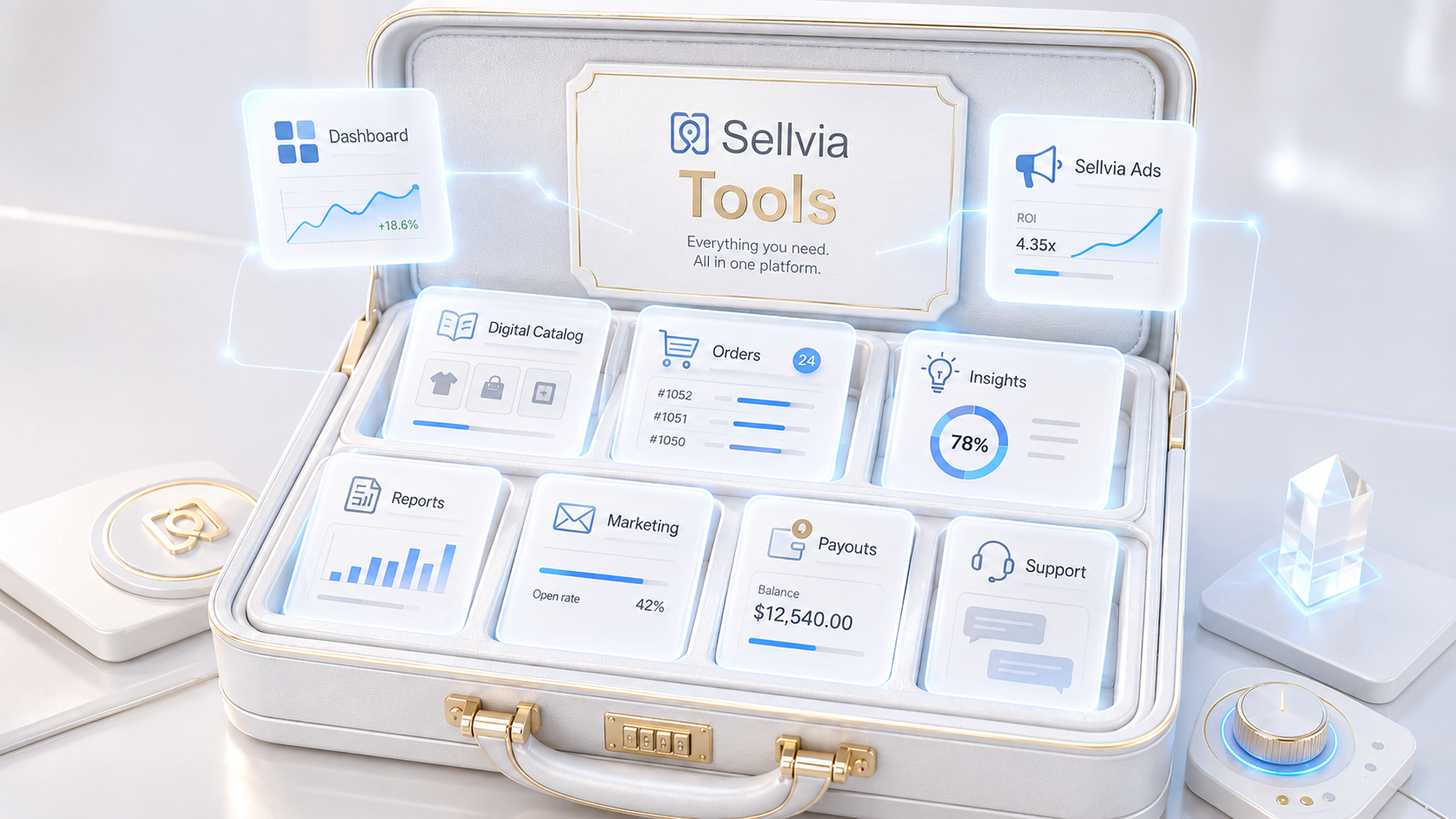
Sellvia Tools Explained: What Beginners Actually Get Inside the Platform
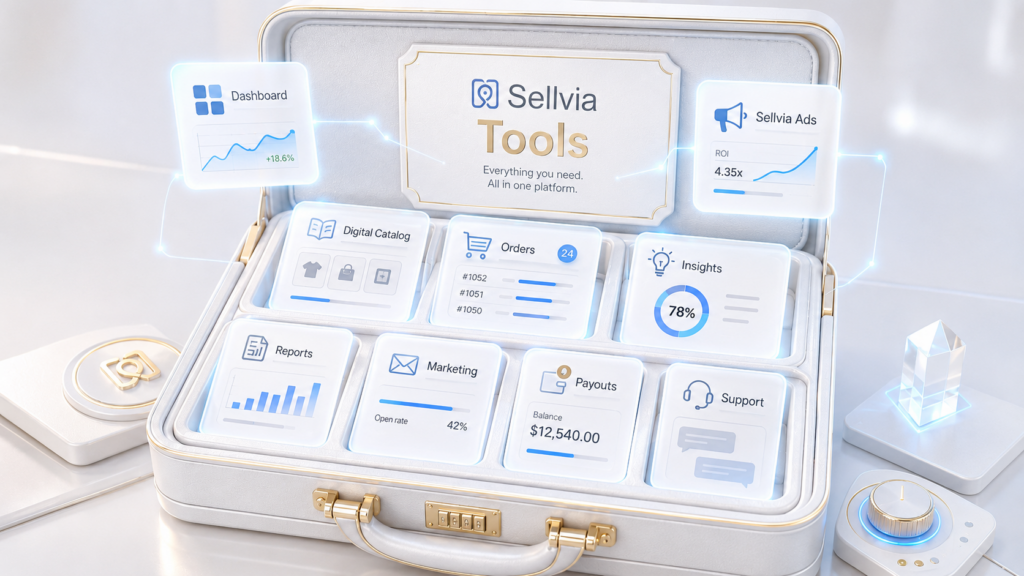
Most beginners researching Sellvia focus on one question: how much does it cost? That is a reasonable place to start. But the more important question – the one that determines whether the platform actually works for you – is what tools you get access to once you are inside.
Sellvia is an online business platform built for people with no technical background and no prior business experience. The platform gives users a ready-made digital store, a catalog of products to sell, a built-in advertising system, and a dashboard that connects everything together. Understanding what each tool does, and which tools cost extra or require a higher plan, is what separates beginners who succeed from those who sign up and immediately feel lost.
This guide breaks down Sellvia tools into clear categories: dashboard tools, product catalog tools, order workflow tools, advertising tools, insights tools, reports and analytics, marketing tools, account and payout tools, and support resources. For each category, you will find an explanation of what the tool does, what to realistically expect from it, and what questions you should ask before spending money on it.
Contents
- What Are Sellvia Tools?
- Dashboard Tools
- Digital Product Catalog
- Orders and Order Processing
- Sellvia Ads
- Sellvia Insights
- Reports and Analytics
- Marketing Tools
- Performance Tiers and Locked Tools
- Account, Billing, Balance, and Payouts
- Support and Growth Manager
- Which Tools Matter Most for Beginners?
- Tools Beginners Should Not Rush Into
- Are Sellvia Tools Enough to Build a Business?
- Tools Checklist Before You Start
- Final Verdict
- FAQ
Quick Answer
Sellvia tools include a business dashboard, digital product catalog access, order management, Sellvia Ads, reporting, insights, marketing services (email, social media, SEO, blog, YouTube, paid social), payout and account management tools, and Growth Manager support. Some tools are accessible directly from the base subscription dashboard. Others may require manual activation, additional purchases, or higher Performance Tiers.
The tools help organize and promote a digital store, but they do not eliminate the need for budget discipline, weekly tracking, and realistic expectations. Tools reduce friction – they do not replace judgment.
What Are Sellvia Tools?
In simple terms, Sellvia tools are the platform features and services that help you launch, manage, promote, track, and optimize an online business from a single dashboard. The platform is designed for people who are new to online business, so the toolset is deliberately structured to minimize the technical knowledge required.
The word “tools” can mean different things depending on the context. Inside Sellvia, some tools are built-in features available to all subscribers from day one. Others are services that must be purchased separately. Some are only unlocked at specific Performance Tier levels. And some are third-party integrations that require setup steps before they become useful.
Understanding this distinction matters before you start. A beginner who assumes every visible dashboard item is free and immediately active will run into surprises when they discover that certain marketing services cost extra or that some features require upgrading their plan.
The main tool categories inside Sellvia are:
| Category | What It Covers |
|---|---|
| Dashboard | Central control area, business overview, navigation |
| Digital Catalog | Product browsing, catalog expansion, store inventory management |
| Order Workflow | Incoming orders, processing, order status, fees |
| Advertising | Sellvia Ads, ad balance, campaign stats, traffic generation |
| Insights | Best-sellers, trending products, weekly signals, growth checklist |
| Reports and Analytics | Traffic, store performance, ad stats, revenue tracking |
| Marketing Tools | Email, social media, SEO, blog, YouTube, paid social – some require tiers |
| Account and Payouts | Billing, plan management, balance, withdrawal, payout history |
| Support and Growth Manager | Personal guidance, help center, educational resources |
Sellvia Dashboard Tools
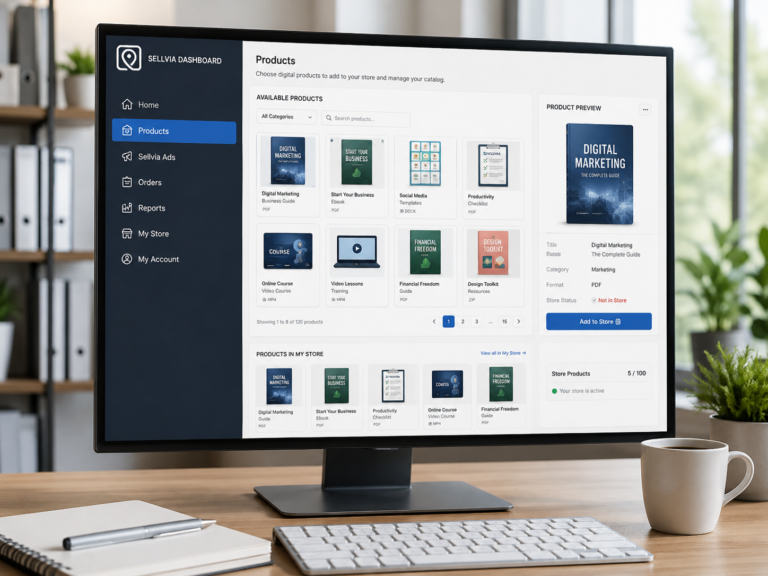
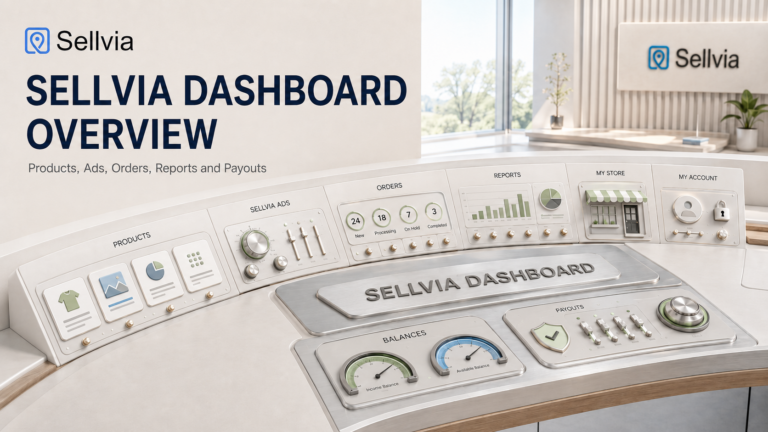
The dashboard is the first thing you see after logging in and the central hub for everything else. It provides a snapshot of your business status and gives you navigation access to every other tool section: Orders, Ads, Reports, Insights, Marketing, My Account, and Support.
From the dashboard home area you can typically see an overview of recent activity, available balances, active ad status, quick links to major tool sections, and notifications or recommendations related to your store. The layout is designed to be readable on a phone as well as a desktop browser, which matters given that many users manage their stores from mobile devices.
The dashboard is also where you will find access to services and upgrades – meaning that available add-ons, promotional offers, and Performance Tier upgrade options are typically surfaced here rather than buried in separate menus.
Practical note: A dashboard gives you visibility into your business – it does not make decisions for you. Checking it regularly, ideally on a fixed weekly schedule, is necessary if you want to understand what is actually happening with your spending and results. A dashboard that nobody checks is just noise.
Digital Product Catalog Tools
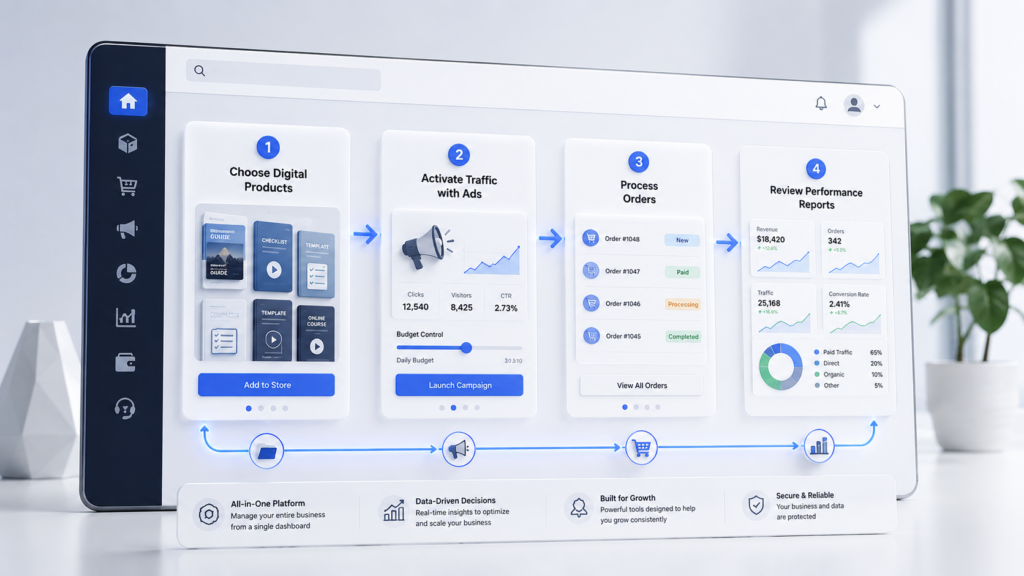
Sellvia is not a store builder where you bring your own products. The platform provides access to a catalog of ready-made digital products – including guides, courses, checklists, templates, downloadable resources, and online tools – that you add to your store and sell to customers. All products in the catalog are created and maintained by Sellvia. You do not need to create, design, or source any content yourself.
The catalog tools let you browse available products, preview what each one includes, add products to your store, and manage which items are active in your inventory. When a buyer purchases a product from your store, delivery is handled digitally and automatically – there is no physical fulfillment involved.
Your profit on each sale is the markup you set above the base price. Based on publicly stated platform figures, sellers typically keep between 50% and 70% of each sale as their margin. The exact mechanics of how pricing and profit work should be verified inside your dashboard when you sign up, as structures can change.
You can also expand your catalog beyond the initial selection by purchasing additional product packs. These are curated collections of digital products organized by category or theme that you add to your store to increase variety and reach a wider range of buyers.
Important perspective: Having access to products is not the same as having a market for them. Before adding large numbers of products to your store, it is worth checking what the Insights section shows about demand and trends. Adding products randomly without a promotional plan rarely improves results. The catalog is a tool, not a strategy.
Orders and Order Processing Tools
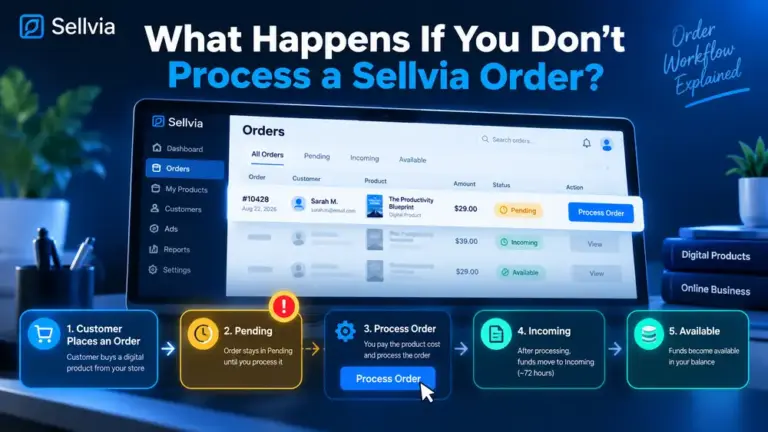
When a sale is made in your store, it appears in your Orders section. This is where you manage the workflow of turning a completed purchase into processed revenue. For digital products, processing an order means confirming fulfillment so that the product is delivered to the buyer and the profit is added to your available balance.
The key point that many new users miss is that order processing involves a per-order fee. This fee is not optional – it is the cost of the fulfillment service. Unprocessed orders do not generate profit and are eventually cancelled automatically. Understanding this before you start is important because it affects your real cost structure and cash flow math.
The Orders section typically shows order status (pending, processed, cancelled), order details, and processing options. It is the part of the platform you need to check regularly – particularly during active advertising periods when orders can arrive faster than expected.
Cash flow note: Your dashboard may show an account balance that includes pending amounts not yet available for withdrawal. The Orders section and My Account area are where you track the difference between what has arrived and what you can actually withdraw. Understanding this distinction early avoids confusion later.
Sellvia Ads
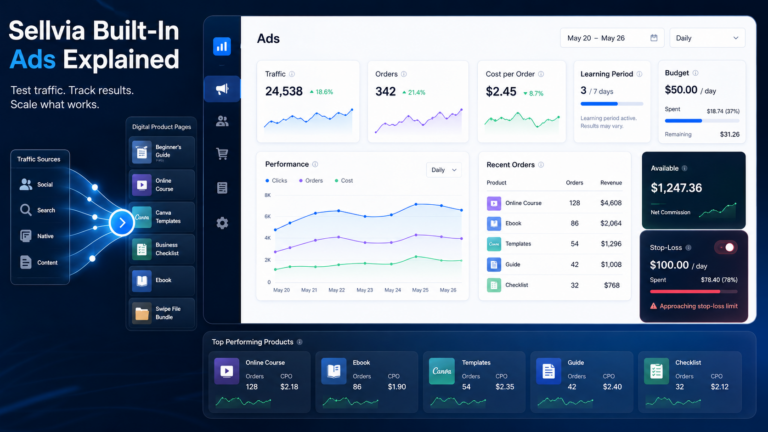
For most beginners, traffic is the core problem. Having a store with products is one thing. Getting people to visit that store is another. Sellvia Ads is the platform’s built-in advertising system and the most operationally significant tool available to new users.
Rather than requiring users to set up independent Google Ads or Facebook Ads accounts – which involves significant technical knowledge, account verification, creative production, and ongoing optimization – Sellvia handles the advertising infrastructure at the platform level. Sellvia purchases traffic at scale from major advertising channels and redistributes it to participating stores via Sellvia Mall, which functions similarly to seller advertising on large marketplaces.
Ad spend is separate from the monthly subscription. Users set a daily budget, with the available range starting at approximately $10 per day and going up to $50 per day based on published platform information. During the free trial, new users receive a $40 advertising coupon to test the system before spending their own money. Campaign statistics and ad account balance are visible inside the dashboard.
Before Activating Sellvia Ads, Check:
- Daily budget: What am I willing to spend per day, and for how many days?
- Test period: How long will I run ads before evaluating results?
- Stop-loss limit: At what total spend do I pause and reassess?
- Target cost per order: What would a profitable cost per processed order look like for me?
- Payout timing: Do I understand when earnings become withdrawable?
- Weekly review: Have I scheduled a fixed time to review ad stats and order data?
Honest assessment: Sellvia Ads can help generate traffic and test whether your store and product selection are converting. It does not guarantee orders or profit. Results depend on your daily budget, your offer quality, how well the product selection matches buyer intent, and how consistently you monitor and adjust. Treating ad spend as a set-and-forget system is one of the most common ways beginners lose money on any advertising platform – including this one.
Sellvia Insights Tools
The Insights section is where the platform gives you product and performance guidance rather than raw data. While Reports shows you numbers, Insights translates those numbers into directional recommendations.
Common features inside Insights include best-seller rankings, new product highlights updated on a regular cycle, sales success strategy content, trending product signals, personalized recommendations based on your store activity, and a growth checklist that helps you identify which steps you have completed and which are still pending.
For beginners who do not have a strong intuition for what to sell or how to prioritize, the Insights section can reduce some of the guesswork that typically comes with running an online store. It gives you a starting point for catalog decisions without requiring you to research the market independently.
Balanced view: Insights are suggestions based on platform-level patterns, not personal guarantees. A product flagged as a best-seller platform-wide may or may not perform in your specific store depending on how you promote it, how much you spend on ads, and whether your offer is competitive. Use insights as a directional input, not a decision shortcut.
Reports and Analytics Tools
The Reports section is where you track what is actually happening with your business over time. This is the part of the dashboard that most beginners underuse – and where the difference between informed decisions and expensive guesswork becomes most visible.
Typical reporting data includes traffic volume, store performance metrics, ad campaign performance statistics, order counts and revenue totals, and visitor behavior indicators. Some users also connect Google Analytics to their store for deeper traffic analysis, though the setup process for this should be verified in the current platform documentation.
Reports matter because without them, every spending decision becomes a guess. If you are spending $20 per day on advertising and you have no clear picture of how many visitors that generates, how many of those visitors convert to orders, and what your effective cost per order is, you are flying blind. Reports give you the data to answer those questions.
Practical habit: Build a weekly review into your routine from day one. Pick a fixed day – Sunday evening or Monday morning works well – and spend 15 to 20 minutes reviewing your traffic, orders, ad spend, and balance. This is not optional if you want to make progress. A store that is never reviewed is a store that is slowly being mismanaged.
Sellvia Marketing Tools

The Marketing section is the most complex part of the Sellvia toolset because it contains multiple distinct services that operate differently, cost differently, and become relevant at different stages of store development. Some marketing tools are best for beginners in the first few weeks. Others are more appropriate after you have stable traffic and order history. And some may be locked behind Performance Tiers that require plan upgrades.
Below is an explanation of each major marketing tool category.
Social Media Tool
The social media tool is designed to help users create and distribute content across platforms like Facebook, Instagram, and TikTok without needing graphic design or copywriting skills. It typically provides pre-built social content, video assets, and platform-specific promotion materials that can be used to build an organic audience alongside paid advertising.
For beginners who have no design background, this tool reduces the barrier to maintaining a consistent social presence. However, content assets alone do not build an audience – they need to be published regularly, paired with a basic content schedule, and aligned with the products you are actively promoting in your store.
Premium Blog Posts
Premium blog content is SEO-focused written content published on or connected to your store to drive organic search traffic over time. Blog posts are typically optimized for specific keywords related to your product niche and include calls to action that support conversions.
This tool is useful as a long-term investment in organic visibility. But it is important to set realistic expectations: SEO takes months to generate measurable results. If you are in your first 30 days and hoping for immediate traffic, blog content is not the right tool to prioritize. It is better suited to month two or three once your core ad and order workflow is stable.
FB, IG & TikTok Ads
This service provides pre-built paid advertising campaigns for Facebook, Instagram, and TikTok – including creative assets, targeting configurations, and ad copy – designed to drive paid social traffic to your store. It differs from Sellvia Ads in that it targets specific social platforms rather than the Sellvia Mall traffic network.
Paid social campaigns involve real daily ad spend separate from both the subscription and Sellvia Ads budget. Beginners should approach this tool carefully, making sure they understand the full budget commitment before activating. It is a more advanced marketing channel and generally more appropriate after you have tested your offer through the core Sellvia Ads system first.
TikTok & Instagram Store
This tool supports the creation of social storefronts – connecting your Sellvia store to TikTok and Instagram commerce features so that buyers can discover and purchase through those platforms. It involves video content creation and integrated social promotion designed for a social-first audience.
For beginners whose primary audience is active on short-form video platforms, this can be a useful traffic channel. For beginners who are still learning the core order workflow, it is not a day-one priority.
Email Marketing
The email marketing tool includes automated email sequences designed to re-engage buyers, recover potential customers who did not complete a purchase, and encourage repeat orders. Campaigns are typically pre-configured with content and targeting logic built in.
Email marketing becomes most valuable after your store has generated traffic and orders – because the sequences depend on having an audience to send to. In the early weeks when traffic is just beginning, email marketing runs in the background without much to work with. It is worth setting up early so it is ready when the audience grows, but it should not be your primary focus before traffic and order patterns are established.
YouTube Marketing
YouTube marketing involves video content creation and promotion designed to build trust, educate potential buyers, and generate traffic from YouTube search and recommendations. Video content can be effective for longer-term brand building, particularly for product categories where buyer education is part of the decision process.
This tool is generally more suitable for users who have a defined niche, a stable store operation, and enough budget to invest in video production alongside their existing advertising. It is not a beginner day-one tool for most users.
Google SEO Backlinks
The SEO backlink tool supports long-term organic search visibility by building links to your store from external sites – a recognized factor in how Google evaluates domain authority and search ranking. Higher authority tends to correlate with better rankings over time, which translates to free organic traffic.
Like all SEO tools, this is a long-term investment. Backlink-building typically takes several months to produce visible ranking improvements. Beginners who expect this tool to generate immediate sales will be disappointed. It belongs in the growth phase of a store’s development, not the launch phase.
Performance Tiers and Locked Tools
Not every tool visible in the Sellvia dashboard is available to all users at the base $39/month subscription level. Sellvia uses a Performance Tier system that unlocks additional tools, services, and capabilities as users move from the entry plan to higher tiers – which may include Plus, Advanced, Pro, or Elite levels depending on the current plan structure.
The practical implication for beginners is significant. You may open the Marketing section and see a range of services listed, but not all of them will be immediately activatable on your current plan. Some require a tier upgrade. Others may be available as standalone purchases without a full plan change.
Important: Tier names, pricing, and included features change as the platform evolves. Do not rely on third-party sources – including this article – for exact current tier pricing or feature availability. The authoritative source is your own dashboard under My Account → Plans. Check there before making any spending decisions based on what tools you expect to have access to.
Understanding the tier structure before you sign up matters because it affects your real startup budget calculation. If several of the tools you want to use require a higher tier, the effective cost of running your store is higher than the base subscription price suggests. There is nothing wrong with that – most SaaS platforms work this way – but going in with accurate expectations prevents frustration and unplanned spending.
My Account, Billing, Balance, and Payout Tools
The account management area is not a growth tool – but it may be the most important section for understanding your actual financial position on the platform. Many beginners overlook it during the excitement of launching ads and processing first orders, then become confused when their withdrawable balance does not match what they expected.
The My Account section typically covers billing history and subscription status, your current Performance Tier and plan details, available balance broken down by status (pending, incoming, available), payout history and withdrawal records, payout thresholds and withdrawal options, and transaction-level records for orders and ad spend.
One area that deserves particular attention is the balance structure. Not all money shown in your dashboard is immediately withdrawable. Earnings typically move through a few status stages before becoming available for withdrawal. Understanding the difference between an order being processed and the profit from that order being available to withdraw is essential for cash flow planning – especially if you are managing a tight budget.
Practical advice: Spend time inside the account section before you start spending on advertising. Understand how billing works, when you will be charged, what payout thresholds apply, and how long funds typically take to move from processed to withdrawable. Knowing this upfront prevents the scenario where you are waiting on funds you thought were available.
Support and Growth Manager Tools
Sellvia assigns a personal Growth Manager to each new user. This is not a generic support ticket system – it is a named contact who reaches out during the trial period and stays available throughout the user’s time on the platform. The Growth Manager provides step-by-step setup guidance, recommends which tools to activate and when, answers questions about the platform, and provides strategy input as the store develops.
For beginners with no prior business experience, the Growth Manager can be a meaningful resource – particularly in the first few weeks when the learning curve is steepest and the risk of making expensive early mistakes is highest. Users who actively engage with their Growth Manager rather than trying to figure everything out independently tend to navigate the early stages more efficiently.
Beyond the Growth Manager, Sellvia also provides a help center with documentation, educational materials, and tutorials covering core platform functions.
Honest note: Support resources can help you understand the system and avoid basic mistakes – but they do not replace your own responsibility to track spending, review results, and make informed decisions. No support team can tell you whether your specific budget and product selection will generate a return. That assessment belongs to you.
Which Sellvia Tools Matter Most for Beginners?

Not all tools deserve equal attention at the same stage. The following ranking reflects what actually matters most during a beginner’s first 30 to 60 days on the platform – based on the logical dependency structure of how the business workflow functions.
| # | Tool | Stage | Why It Matters |
|---|---|---|---|
| 1 | Dashboard overview | Core | Central hub – you navigate everything from here |
| 2 | Product / catalog access | Core | You need products in your store before anything else works |
| 3 | Orders and order processing | Core | Understanding fees and workflow is mandatory before spending on ads |
| 4 | Sellvia Ads | Core | Primary traffic source – the tool that actually drives orders |
| 5 | Reports and analytics | Core | Without data, all spending decisions are guesswork |
| 6 | My Account / payouts / billing | Core | Understand your real financial position before scaling anything |
| 7 | Insights | Growth | Helps inform catalog and product decisions with platform data |
| 8 | Email marketing | Growth | Set up early but becomes useful once traffic and buyers exist |
| 9 | Social media tools | Growth | Useful for organic audience building alongside paid ads |
| 10 | SEO / blog / backlink tools | Advanced | Long-term visibility investment – not an immediate traffic source |
| 11 | YouTube and paid social | Advanced | More advanced traffic channels – appropriate once core is stable |
| 12 | Premium upgrades and add-ons | Advanced | Evaluate based on data, not excitement – only after proven traction |
The core tools establish whether your business model is working at a basic level. Growth tools help you expand once you have proof of traction. Advanced tools are for users who have stable operations and a budget that can absorb more spend without risking the fundamentals.
Tools Beginners Should Not Rush Into
There is a pattern common to new platform users across many SaaS products: the temptation to activate everything at once, driven by the idea that more tools automatically mean better results. On Sellvia, this approach can lead to overspending before you have enough data to know what is working.
Specifically, here are the tools and purchases worth approaching carefully in the first month:
Premium product packs before understanding demand. Buying additional catalog expansions makes sense once you know which product categories are generating orders in your store. Buying them in the first week, before any advertising data exists, means you are adding products to a store that has not yet proven what its buyers want.
Advanced social media campaigns without a budget plan. Paid social advertising on Facebook, Instagram, and TikTok adds a third layer of daily spend on top of the subscription and Sellvia Ads. Beginners who activate all three simultaneously often lose track of which channel is generating which results.
SEO and backlink packages with an expectation of fast results. SEO is a 3-to-6-month investment at minimum. If you are purchasing it expecting traffic in week two, you will be disappointed and may conclude the tool does not work when in fact it simply has not had time to work.
Email marketing before there is an audience to email. Email sequences perform based on the size and quality of your list. In the first weeks of operation when your traffic is still being tested, email marketing runs largely idle. It is worth having it set up – but it should not be a primary budget priority at launch.
Multiple tools activated simultaneously without tracking. The risk is not that individual tools are bad – it is that using many tools at once makes it impossible to isolate which one is contributing to your results and which is just adding cost.
The principle: The right approach is not “activate everything.” It is “activate what matches your current stage, track it, understand it, then expand.” Stage-appropriate tool use is what separates users who scale deliberately from users who spend broadly and wonder why results are unclear.
Are Sellvia Tools Enough to Build a Business?
This is the honest question that most platform reviews avoid answering directly. The short answer is: the tools are necessary but not sufficient.
Sellvia tools can genuinely reduce setup friction. They centralize the core workflow – store, products, ads, orders, analytics – into one dashboard. They remove the need to learn independent advertising platforms. They provide product content without requiring you to create anything from scratch. And they give beginners access to marketing services that would otherwise require hiring professionals or learning skills that take years to develop.
That is real value. It is why the platform has been used by a large number of store owners since its launch.
What the tools cannot do is replace the judgment, discipline, and learning that running a business requires. A store that receives traffic but has the wrong product mix will not convert. A store with good products but no advertising budget will not get visitors. A store with both but no tracking process will spend money without understanding why results are or are not happening.
The tools work best when paired with three things that no platform can provide: a realistic budget (including ad spend and order processing fees, not just the subscription), a consistent weekly review process, and expectations that are grounded in the actual mechanics of how the business model works.
For beginners who bring those three things, Sellvia tools provide a meaningful head start. For beginners who expect the tools to run the business for them, the experience will likely be frustrating regardless of how comprehensive the toolset is.
Sellvia Tools Checklist Before You Start
- Do I know which tools are included in my base subscription plan?
- Do I know which tools require Performance Tier upgrades?
- Do I know which tools involve additional per-use or per-service costs?
- Do I understand how Sellvia Ads is billed and what my daily budget limit will be?
- Do I understand how order processing fees work and how they affect my profit per sale?
- Do I know where to find reports and how to read the key metrics?
- Do I know where to track my balance and understand the difference between pending and withdrawable funds?
- Do I have a payout threshold and withdrawal process clear before I start spending?
- Have I set a stop-loss limit – a maximum total spend before I pause and reassess?
- Have I scheduled a fixed weekly time to review results rather than checking ad hoc?
- Am I planning to activate tools based on data and stage, not based on excitement?
Final Verdict: Are Sellvia Tools Useful?
Our Assessment
Sellvia tools are genuinely useful for beginners who want a structured, centralized platform rather than building a store workflow from scratch across multiple separate services. The strongest tools in the set are the dashboard, digital catalog access, Sellvia Ads, reports and analytics, the Insights section, and the account and payout management area. Together, these cover the core workflow of running a digital product store without requiring deep technical expertise.
The marketing tools – email, social media, SEO, blog, paid social, YouTube – can support growth, but they should be treated as staged additions, not automatic success buttons. Most beginners will get more from understanding the core tools deeply in the first 60 days than from activating every available marketing service in week one.
The right approach: start with the core workflow, use the $40 ad coupon to test traffic during the trial, track every cost from day one, review results on a weekly schedule, and add advanced marketing tools only when your data tells you the foundation is working. That is the sequence that gives the toolset the best chance of producing real results.
For more context on how the platform works overall, see our guides on What Is Sellvia, How Sellvia Works, and Sellvia Pricing Explained. For budget planning, Sellvia Startup Budget covers the realistic cost breakdown in detail. For broader platform assessment, Is Sellvia Legit and Sellvia Reviews provide independent analysis.
Pricing, plan features, and tool availability may change. Always verify current details directly on Sellvia’s website or inside your dashboard before making financial decisions.
Frequently Asked Questions
What tools does Sellvia include?
Sellvia includes a business dashboard, digital product catalog, order management tools, Sellvia Ads, an Insights section, reporting and analytics, marketing tools (email, social media, SEO, blog, paid social, YouTube), account and payout management, and Growth Manager support. Some tools are included in the base subscription; others require additional purchases or higher Performance Tiers.
Does Sellvia have marketing tools?
Yes. Sellvia offers a range of marketing tools including social media content creation, email marketing automation, SEO and backlink services, premium blog content, Facebook/Instagram/TikTok ad campaigns, social storefronts, and YouTube marketing. Some of these tools may be included in certain plan tiers, while others may require separate activation or purchase.
What is Sellvia Ads?
Sellvia Ads is the platform’s built-in advertising system. It purchases traffic at scale from major advertising channels and directs it to seller stores through Sellvia Mall. Users set a daily ad budget – starting from approximately $10 per day – and the system handles targeting and delivery. Ad spend is separate from the monthly subscription. New users receive a $40 advertising coupon during the free trial period.
Are Sellvia tools included in the monthly plan?
Core tools – including the dashboard, product catalog, order management, Sellvia Ads access, Insights, reports, and account management – are accessible through the base subscription. Marketing services such as email sequences, social media tools, SEO packages, and blog content may require additional activation, separate purchase, or a higher Performance Tier. Check your dashboard’s My Account section for current plan details.
Do Sellvia tools require Performance Tiers?
Some tools do. Sellvia uses a tiered plan structure where higher tiers unlock additional features and services. A beginner on the entry-level subscription may see marketing tools listed in their dashboard that are not yet activatable without upgrading. The exact tier requirements for each tool should be verified inside the platform, as structures and pricing are updated over time.
Are Sellvia SEO tools useful?
SEO tools – including backlink building and blog content services – can support long-term organic visibility on Google. They are not short-term traffic solutions. For most beginners, SEO tools are worth considering in months two or three once the core order and advertising workflow is stable. Expecting SEO tools to drive sales in the first few weeks leads to misplaced frustration.
Does Sellvia have email marketing?
Yes. Sellvia includes email marketing tools with pre-configured automated sequences designed to engage buyers, recover abandoned potential customers, and support repeat orders. Email marketing becomes most effective once a store has generated traffic and an initial buyer base. It is best set up early but should not be the primary focus before traffic and order patterns are established.
Are Sellvia tools enough for beginners?
The tools provide a strong structural foundation – removing the need to build a store, source products, or set up advertising infrastructure independently. However, they do not replace the need for a clear budget, weekly performance tracking, and realistic expectations. Tools reduce friction; they do not guarantee results. Beginners who approach the platform with discipline and a tracking system are the ones who get the most from the available tools.
Which Sellvia tools should beginners use first?
Beginners should focus first on the dashboard, product catalog, order processing workflow, Sellvia Ads, and reports. These five areas cover the core business cycle: getting products into the store, generating traffic, processing orders, and understanding results. Once this foundation is working and producing data, adding marketing tools like email, social media, or SEO makes strategic sense.

Jeck Palmer is an ecommerce writer and platform researcher at Sellvia.info. He specializes in analyzing Sellvia’s features, pricing, tools, advertising system, order workflow, and overall business model. His articles are designed to explain complex platform processes in clear and practical language, helping beginners understand potential costs, evaluate available tools, and make more informed decisions before starting an online business.
The article’s point about separating tools that are included from tools that cost extra is where I spent too much time confused before committing – but tbh what actually moved me off the fence at day 144 was seeing the system ranked Inc. 5000 #1818 and covered in Forbes, because as a bookkeeper I needed credentials I could verify before I trusted any platform with my spare-time budget. I convinced myself the early results were a fluke for two weeks straight, but those third-party validations made it harder to keep dismissing what I was seeing. Three people asked me this week what I’m using, and the credentials are now the first thing I mention.
The article’s point about locked tools versus included tools is the one no Sellvia review I found actually spelled out before I committed – at week 18 I’m still in the grow phase and ngl the catalog plus the ad system is doing more than I budgeted this experiment to need. I was the skeptic who told two people it probably wouldn’t work, and now I’m the one sending them the link.