
Sellvia Risk Reserve Explained: How the 25% Hold and Release Timeline Work
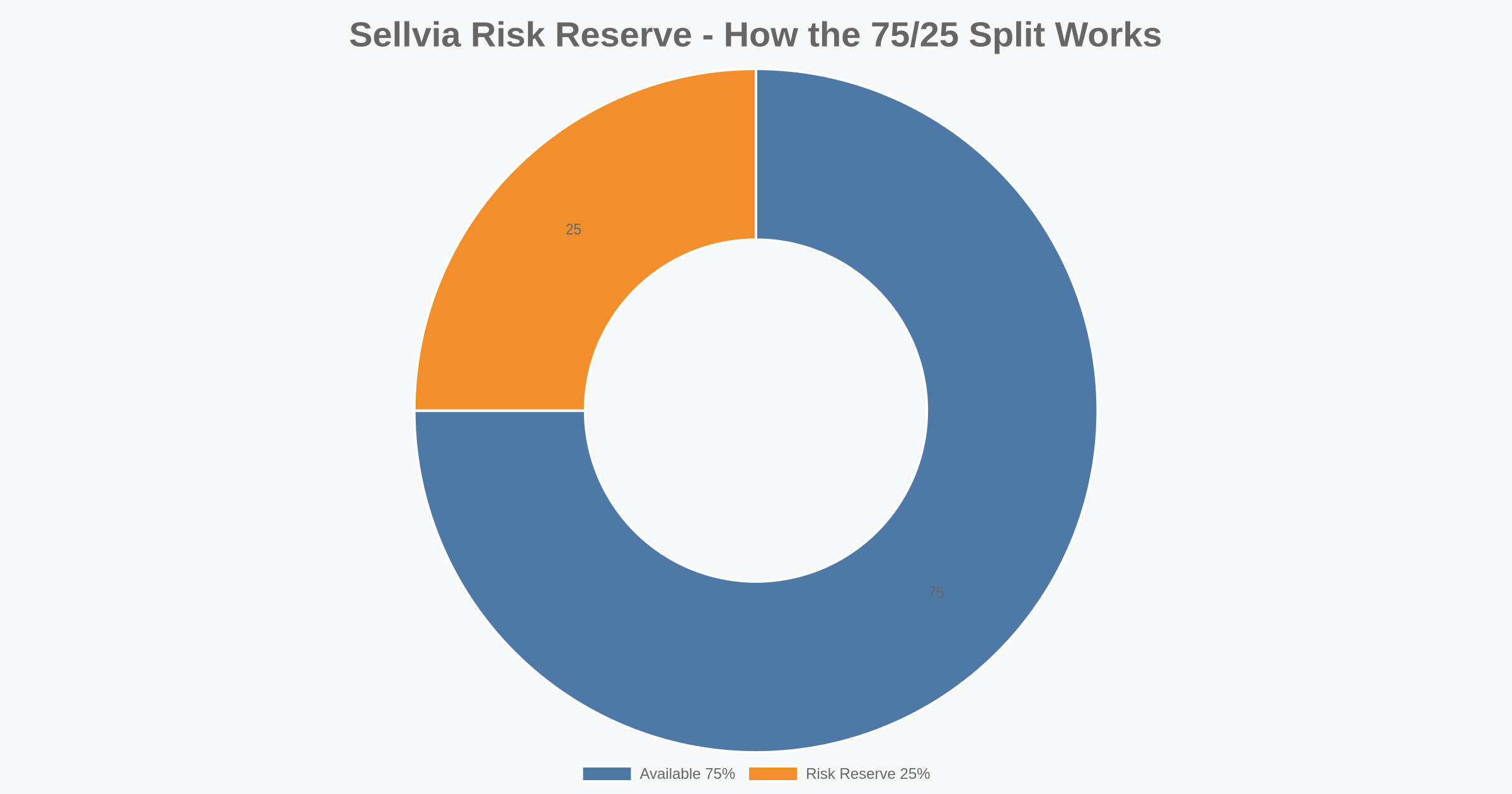
Quick Answer: Sellvia’s Risk Reserve is the portion of eligible revenue that does not move into the immediately withdrawable Available balance. Under the current model, about 75% becomes Available after the normal Incoming period, while about 25% is placed into Risk Reserve and is typically released after roughly 125 days. The reserve does not mean the money has disappeared. It means part of the revenue follows a longer availability timeline. For store owners, the practical issue is cash-flow planning: sales can be profitable on paper while only part of the resulting balance is ready to withdraw today.
This guide explains the mechanics step by step, shows how Pending, Incoming, Available and Risk Reserve differ, and demonstrates how the 25% hold can affect payout timing and operating decisions. The examples are planning illustrations rather than earnings forecasts.
What Sellvia Risk Reserve Means
Risk Reserve is best understood as a timing layer inside the Sellvia balance system. A completed sale can create revenue without making every dollar immediately withdrawable. The platform separates the order lifecycle from the payout lifecycle, so several balance states can exist at the same time.
The important distinction is between money associated with an order and money that has reached the Available balance. After an order is processed, the related amount can pass through Pending and then Incoming. The Incoming stage lasts about 72 hours under the current workflow. After that period, roughly 75% of the eligible amount can move to Available, while roughly 25% can move to Risk Reserve. The reserved portion is held for about 125 days before its release timeline is completed.
That structure matters because a dashboard balance can represent several different economic realities. Available is the portion that has completed the relevant waiting process and can count toward a withdrawal. Incoming represents money still moving through the normal availability period. Risk Reserve represents money attributed to the account but following the longer reserve schedule.
For planning purposes, it is therefore a mistake to treat total visible revenue as equivalent to cash available for immediate withdrawal. The useful question is not only “How much did the store sell?” but also “How much is Available now, how much is Incoming, and how much is still in Risk Reserve?”
The Order-to-Available Timeline
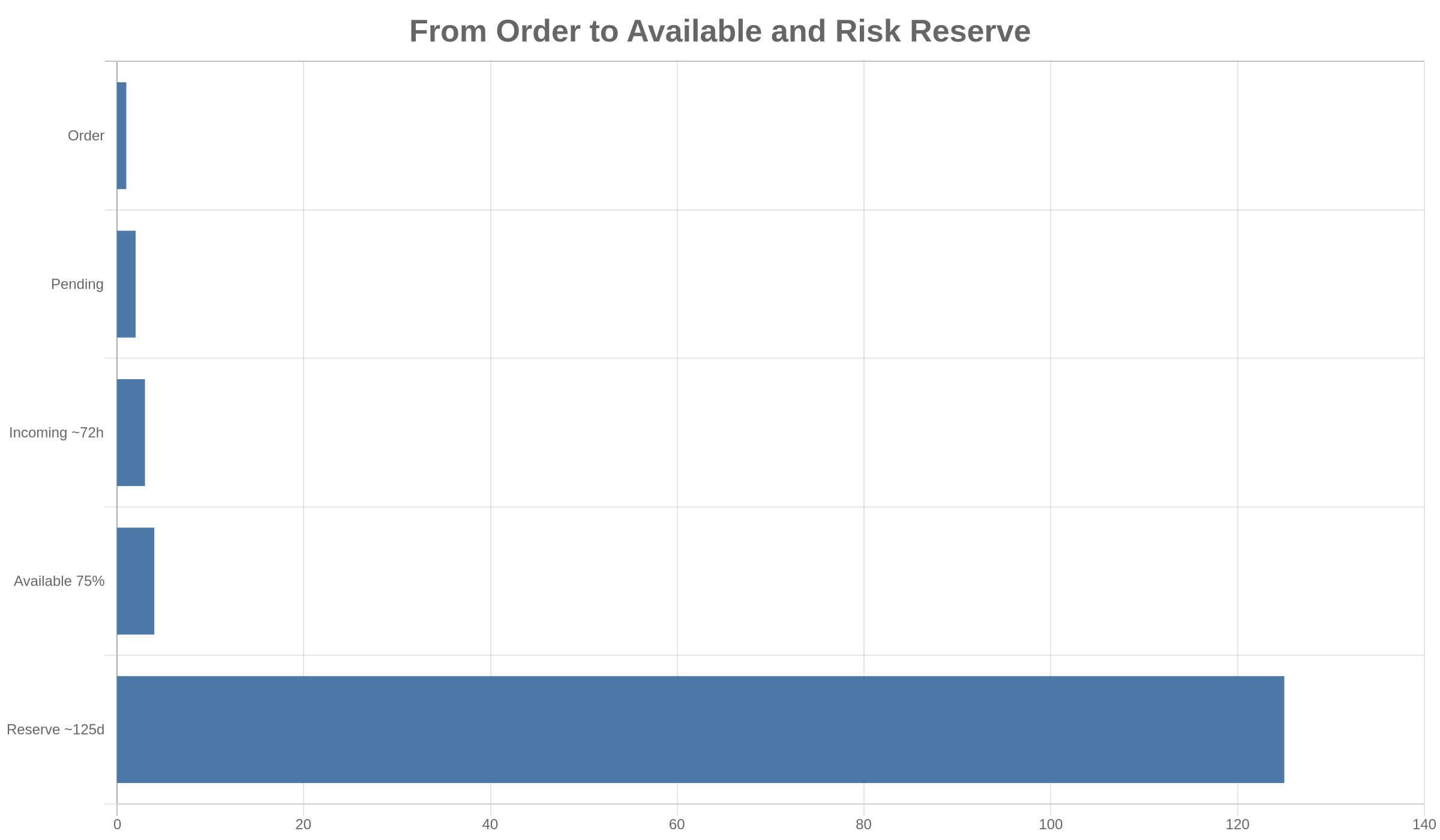
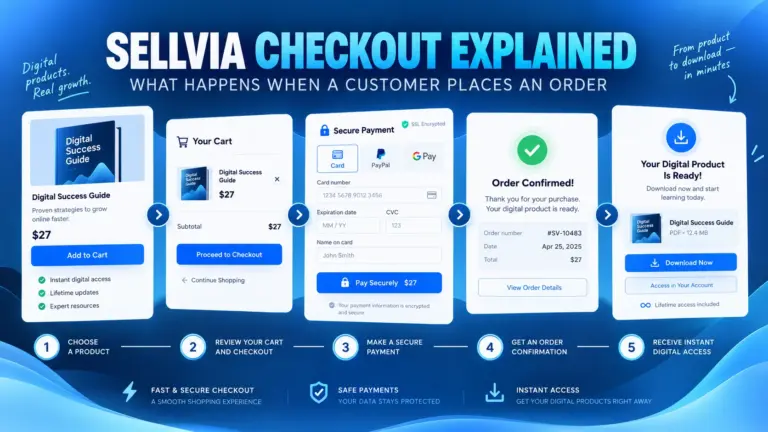
The simplest way to understand the reserve is to follow one order from the moment it is created. First, the order is placed and its processing cost is handled. The order then moves through the platform’s processing states. After the relevant processing step, the associated revenue can appear as Pending. From there it progresses to Incoming, where it normally remains for about 72 hours.
Once that Incoming period is completed, the balance is divided for availability purposes. About three quarters of the eligible amount moves toward Available. About one quarter moves into Risk Reserve. The Available portion can then contribute toward the minimum payout requirement, while the reserve portion continues on its separate, longer timeline.
The sequence can be summarized as: order, processing cost, Pending, Incoming for about 72 hours, then approximately 75% Available and 25% Risk Reserve. The reserve portion is typically held for about 125 days.
This is why the same order can have two very different liquidity dates. Most of its eligible value may become usable relatively soon after the Incoming period, while the reserved share can remain unavailable for several months. Nothing about that split changes the original sale; it changes when different portions can be treated as withdrawable cash.
Why the 25% Hold Changes Cash-Flow Planning
A 25% reserve sounds simple when viewed as a percentage, but its effect becomes more visible when sales are recurring. Each new group of orders can create a new reserved amount with its own release timing. During a period of steady sales, the account may therefore contain multiple reserve cohorts at once.
Consider a simplified example in which $1,000 of eligible revenue reaches the point where the 75/25 split applies. About $750 would move toward Available and about $250 would enter Risk Reserve. If another $1,000 reaches that point a week later, another approximate $250 reserve amount is created. The store may show strong cumulative revenue, but $500 from those two simplified cohorts would still be following longer reserve timelines.
This creates a difference between accounting-style performance and immediate liquidity. A store can be generating sales while still needing enough operating capital to cover expenses that occur before reserved amounts are released. That distinction becomes especially important when volume increases quickly.
The reserve also means that cash-flow analysis should be date-based. Looking only at a single total can hide when money actually becomes usable. A better approach is to track the expected release month or approximate release date for each meaningful reserve cohort.
A Simple Risk Reserve Example
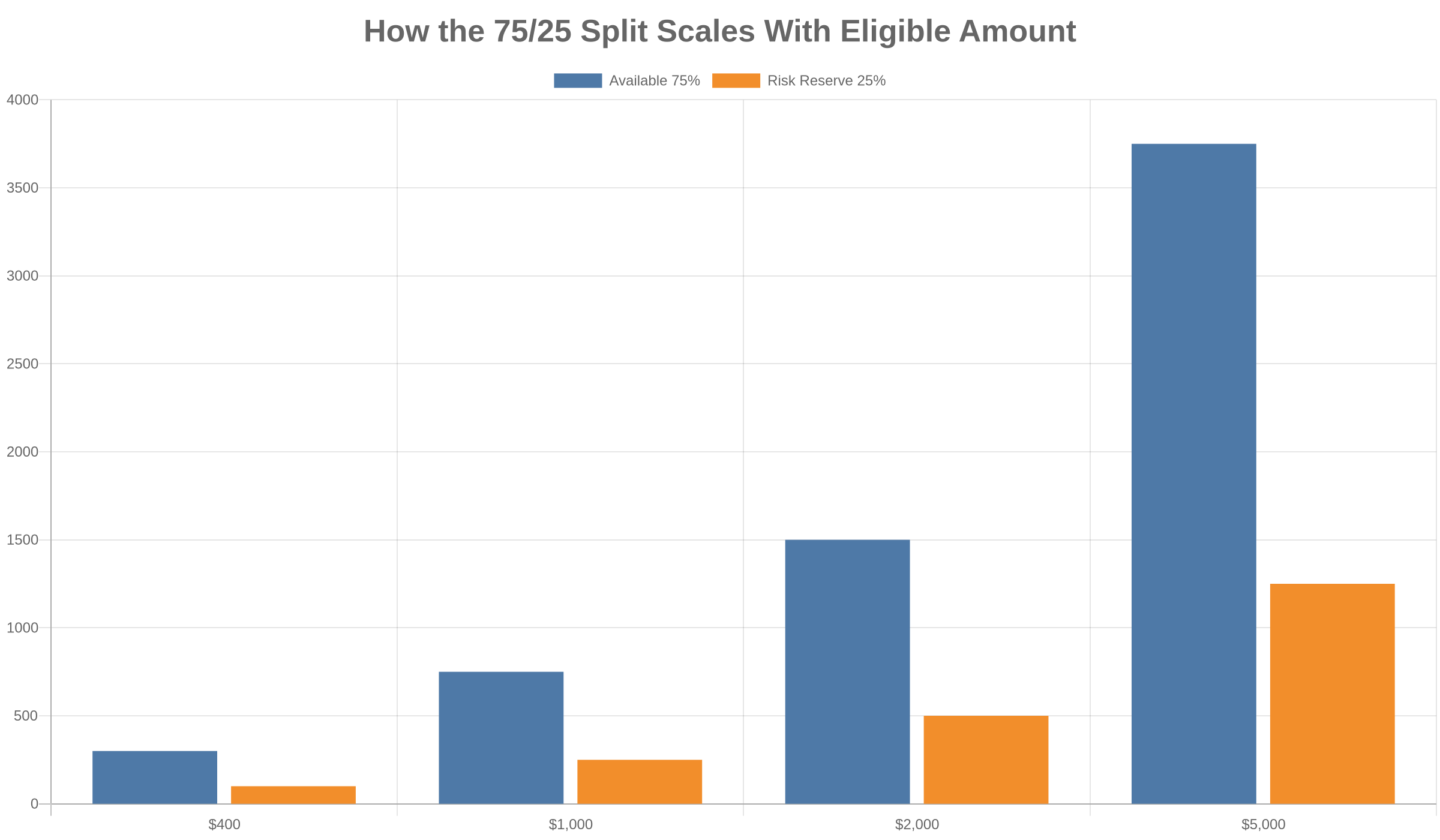
| Eligible amount reaching split | Approx. Available 75% | Approx. Risk Reserve 25% |
|---|---|---|
| $400 | $300 | $100 |
| $1,000 | $750 | $250 |
| $2,000 | $1,500 | $500 |
| $5,000 | $3,750 | $1,250 |
These figures are deliberately simple. They illustrate the reserve split rather than predict what a particular store will earn. Real account balances depend on actual orders, processing costs, timing, adjustments and the state of each transaction.
The table also shows why percentage-based reserves become more important as volume grows. At $400, a $100 reserve may be easy to overlook. At $5,000, the same percentage represents $1,250 that is not part of immediate liquidity. If new cohorts continue to enter reserve before earlier cohorts are released, the total reserve balance can become a meaningful part of the store’s working-capital picture.
How the Roughly 125-Day Release Timeline Works
The approximately 125-day period should be treated as a release timeline rather than as a reason to expect the entire reserve balance to become available on one universal date. Orders occur on different dates, so reserved amounts are created at different times. Each cohort can therefore mature at a different point.
Suppose one group of orders creates a reserve amount on January 10 and another creates a reserve amount on January 25. Their approximate release windows would also be separated by about 15 days. Add new orders throughout February and March, and the account can develop a rolling pipeline of future reserve releases.
This rolling behavior is important. After a store has operated long enough, it can simultaneously have new money entering Risk Reserve and older reserve amounts approaching release. The reserve balance may therefore rise, fall or remain relatively stable depending on sales volume and release timing.
For practical planning, use the 125-day figure as an approximate horizon and keep a margin for timing differences. Do not build a budget that depends on a reserved amount becoming available on one exact day unless the account itself confirms that release.
Available, Incoming and Risk Reserve Are Not the Same Balance
These three labels answer different questions. Available answers: what has completed the relevant waiting process and can count toward withdrawal? Incoming answers: what is still moving through the shorter availability period? Risk Reserve answers: what portion is being held on the longer reserve timeline?
Keeping those categories separate prevents several common mistakes. First, it prevents a seller from assuming that recent sales can immediately fund a withdrawal. Second, it prevents the reserve from being mistaken for a permanent fee. Third, it makes it easier to estimate how much liquidity the store actually has for the next operating cycle.
A useful dashboard habit is to record all three numbers at the same time. A weekly snapshot of Available, Incoming and Risk Reserve provides much more information than recording revenue alone. Over several weeks, those snapshots show whether liquidity is improving, whether Incoming is growing faster than it clears, and whether reserve accumulation is becoming material.
How Risk Reserve Interacts With the $100 Minimum Payout
Sellvia’s minimum payout is $100. The practical point is that reserved money should not be treated as if it were already part of the withdrawable amount. A seller can have more than $100 associated with recent activity while still needing to wait for enough money to reach Available.
For example, imagine a simplified balance where $80 is Available, $60 is Incoming and $40 is in Risk Reserve. The combined visible amounts are greater than $100, but the immediately relevant number for the payout threshold is the Available balance. As Incoming completes its normal period, the available amount can increase, while part of eligible revenue may continue into reserve.
This is another reason to plan withdrawals from Available rather than from gross revenue. The payout threshold and the reserve timeline operate at different stages of the money flow.
Payout Method Costs Still Matter After Funds Become Available
Reaching Available is not the final step in cash-flow planning. The selected payout method can also affect the net amount received and the timing of the transfer. Under the current figures used for this guide, Express is about 14% with an estimated 1-3 day timing, while a US bank payout is about 5% plus $10 with an estimated 5-7 day timing. Identity verification is about $4.99.
Those costs should not be confused with Risk Reserve. The reserve determines when part of eligible revenue becomes available. Payout charges relate to moving an Available balance out through a selected method. They are separate layers of the cash-flow process.
This separation matters when comparing payout choices. A faster transfer may have a different cost structure from a slower one. The most useful comparison is therefore net cash received after the applicable payout cost, not simply the headline Available balance.
How Performance Tiers Fit Into the Picture
Sellvia also uses weekly Performance Tiers. The current tier figures are Plus at $19 per week for up to 100 orders, Advanced at $39 for up to 250 orders, Pro at $69 for up to 500 orders, and Elite at $99 for unlimited orders. These tier costs are separate from the Risk Reserve mechanism, but both can affect planning.
The key connection is liquidity. As order volume rises, the relevant weekly tier may change while the absolute amount entering Risk Reserve can also increase. A growing store should therefore avoid evaluating scale from revenue alone. Weekly platform costs, processing requirements, payout costs and reserve timing all influence how much cash is actually free for other uses.
| Tier | Weekly cost | Order allowance |
|---|---|---|
| Plus | $19 | 100 orders |
| Advanced | $39 | 250 orders |
| Pro | $69 | 500 orders |
| Elite | $99 | Unlimited |
The base Sellvia subscription is $39 per month, with a 14-day trial for the base plan. These recurring costs should be included in the same cash calendar used for reserve planning so that expected obligations are compared with Available cash rather than with total revenue.
Build a Simple Reserve Release Schedule
You do not need a complicated financial model to make the reserve easier to manage. A basic spreadsheet can track the date a reserve cohort was created, its approximate amount, its estimated release horizon and whether it has actually been released.
- Record the date or week in which a meaningful reserve amount appeared.
- Record the approximate amount added to Risk Reserve.
- Add roughly 125 days to create a planning date.
- Treat that date as an estimate, not guaranteed same-day cash.
- Update the row only when the account confirms that the amount has moved out of reserve.
- Keep Available and Incoming in separate columns.
This creates a rolling reserve calendar. After several months, the sheet can show both expected future releases and new reserve additions. It also prevents older reserve money from being mentally mixed with current-week sales.
Example of a Rolling 125-Day Reserve Calendar
Imagine that four monthly cohorts each create $250 in Risk Reserve. The first cohort is created in January, the second in February, the third in March and the fourth in April. By the end of April, the reserve balance associated with those simplified cohorts could total $1,000 if none has yet reached release.
As the January cohort approaches its approximate 125-day horizon, it becomes the first expected release. February follows later, then March and April. If the store continues producing new reserve cohorts, releases from older activity can overlap with additions from newer activity.
This is why a reserve balance does not necessarily trend toward zero even when releases are occurring. In a growing account, new reserve additions can be larger than older releases. In a slower period, the opposite can happen and the total reserve balance may decline.
The useful metric is therefore not only the total reserve balance. Track reserve added, reserve released and the approximate age of the remaining balance. Those three pieces provide a much clearer view of the pipeline.
Common Mistakes When Reading Risk Reserve
Counting reserve as cash available today
The most important mistake is including Risk Reserve in money that can be spent or withdrawn immediately. It may be part of the account’s future cash flow, but it follows a longer release schedule.
Treating the reserve as a permanent charge
A hold and a fee are different concepts. The reserve is about delayed availability. Payout charges and subscription or tier costs are separate items.
Expecting all reserve funds on one date
Because orders happen continuously, reserve cohorts can have different starting points. A rolling schedule is more realistic than one universal release date.
Planning from revenue instead of Available
Revenue is useful for measuring sales activity. Available is more useful for deciding whether a withdrawal or near-term expense can be funded.
Ignoring payout costs
Even after money becomes Available, the payout method can affect net proceeds. Cash-flow planning should follow the full path through to money actually received.
Cash-Flow Checklist for Sellvia Sellers
- Start with the current Available balance, not total revenue.
- Record Incoming separately and remember the normal Incoming period is about 72 hours.
- Track Risk Reserve as a future-liquidity category.
- Use about 125 days as the planning horizon for each reserve cohort.
- Keep the $100 minimum payout in mind.
- Include the chosen payout method’s cost and expected transfer time.
- Include the $39 monthly base subscription and the applicable weekly Performance Tier in operating-cost planning.
- Maintain a cash buffer instead of assuming every expected release will arrive on an exact projected day.
- Review the dashboard before committing Available cash to new expenses.
- Update your reserve schedule when actual releases occur.
What Faster Growth Can Do to the Reserve Balance
Growth can make the reserve more visible even when the percentage itself does not change. If eligible volume doubles, the approximate dollar amount represented by a 25% reserve can also increase substantially. This is not necessarily a sign that something has gone wrong; it can simply reflect a larger flow of transactions entering the same reserve mechanism.
The operational challenge is that costs and reserve timing do not always move together. Some expenses may need to be paid now, while part of the revenue generated by current orders becomes usable much later. Rapid growth can therefore increase the amount of working capital needed to keep operations comfortable.
A conservative approach is to scale decisions from Available cash plus a separate operating buffer. Treat future reserve releases as scheduled future liquidity rather than as today’s budget. This reduces the chance of committing money twice: once mentally when the sale occurs and again when the reserved portion is finally released.
How to Read the Dashboard Without Overestimating Liquidity
When reviewing the account, read balances in the order of their usefulness for immediate decisions. First check Available. Next review Incoming to understand what may complete the shorter waiting period. Then review Risk Reserve to understand the longer pipeline.
Compare those balances with near-term obligations. If the store has upcoming subscription, tier or other operating costs, do not assume reserve money will cover them unless it has actually moved to Available. If a payout is planned, consider both the minimum payout and the fee structure of the chosen method.
This approach turns the dashboard from a collection of balances into a basic liquidity report. Available represents current withdrawal capacity, Incoming represents near-term pipeline, and Risk Reserve represents longer-term pipeline.
Frequently Asked Questions
What percentage goes into Sellvia Risk Reserve?
Under the current model used in this guide, approximately 25% of the eligible amount is placed into Risk Reserve when the balance reaches the relevant split, while approximately 75% moves toward Available.
How long is Sellvia Risk Reserve held?
The reserve timeline is about 125 days. Because different orders create reserve amounts at different times, releases should be viewed as a rolling schedule rather than one date for the entire balance.
Is Risk Reserve the same as Incoming?
No. Incoming is part of the shorter availability process and is normally associated with about a 72-hour period. Risk Reserve follows the much longer approximate 125-day timeline.
Does Risk Reserve count toward the $100 minimum payout?
For practical withdrawal planning, use the Available balance rather than assuming reserved money is already withdrawable. Risk Reserve should be treated as future liquidity until it is released.
Is the 25% reserve a payout fee?
No. A reserve hold and a payout fee are separate concepts. The reserve affects availability timing. Payout methods have their own costs and transfer estimates.
Why can Risk Reserve grow even if older funds are being released?
New orders can create new reserve cohorts while older cohorts are reaching release. If new additions are larger than current releases, the total reserve balance can still rise.
Takeaway
Sellvia Risk Reserve is primarily a cash-flow timing issue. The current workflow separates a roughly 75% Available portion from an approximately 25% reserve portion after the normal Incoming stage, with the reserve following an approximate 125-day timeline. The most useful way to manage it is to separate revenue from liquidity, track reserve cohorts by date, plan withdrawals from Available, and include payout costs and recurring platform costs in the same cash calendar.
Once those categories are tracked separately, the reserve becomes much easier to understand. Instead of treating the dashboard as one balance, think of it as three time horizons: Available now, Incoming relatively soon, and Risk Reserve later. That distinction gives a much clearer picture of what the store can actually use today and what belongs in future cash-flow planning.

Jeck Palmer is an ecommerce writer and platform researcher at Sellvia.info. He specializes in analyzing Sellvia’s features, pricing, tools, advertising system, order workflow, and overall business model. His articles are designed to explain complex platform processes in clear and practical language, helping beginners understand potential costs, evaluate available tools, and make more informed decisions before starting an online business.



The 75/25 split this post describes is the exact thing I ran through a spreadsheet before committing – I needed to see whether the Available portion alone could cover operating costs before the reserve released. What I thought would be a cash-flow problem turned out to be manageable once I mapped the $39 monthly cost against the 50-70% margin on each sale. Starting phase is where I am, and honestly the math held up better than I expected.
First month day-to-day, honestly – I kept refreshing the balance screen expecting one number and seeing three different ones, which is exactly the 75/25 split this post is describing. Told myself not to get excited until cash actually cleared to Available and hit that $100 withdrawal threshold, and well, not exactly a smooth ride but – once I understood the reserve was a timing layer and not a loss, the whole thing started making sense.
The 75/25 split genuinely caught me off guard the first month – I kept reading the dashboard like the full number was available and then wondering why the withdrawal wasn’t clearing (classic beginner mistake, apparently). Once I understood that the Risk Reserve portion just follows a longer timeline rather than disappearing, day-to-day stopped feeling like a guessing game. Planning around what’s actually in Available rather than the total visible balance is the thing nobody tells you upfront.
The part nobody told me – the 25% reserve is not a deduction, it’s just on a longer release schedule, and treating those two things as the same thing is how you end up miscounting what’s actually withdrawable. Once I built my planning around Available balance only, the $100 withdrawal minimum stopped feeling like an obstacle.